



Video Training → Differential Equations for Engineers (2022)
Published by: LeeAndro on 14-03-2022, 15:36 |  0
0

MP4 | Video: h264, 1280x720 | Audio: AAC, 44.1 KHz, 2 ChGenre: eLearning | Language: English + srt | Duration: 60 lectures (8h 34m) | Size: 3.64 GB
Differential Equations Step by Step | Formation of Differential Equations | Solution of Differential Equations
Fundamental of Differential Equations
What is Differential Equation
1nd Differential Equation Solutions
2nd Constant Homogeneous Differential Equation Solutions
2nd Constant Non-Homogeneous Differential Equation Solutions
2nd Non-Constant Differential Equation Solutions
Laplace transform
Differential Systems
PDE Partial Diferantial Equation
Exam Examples and Solutions
Solving systems of linear equations
Differential Equations Step by Step | Formation of Differential Equations | Solution of Differential Equations
Learning about differential equations and inequalities can be tough.
Video Training → CreativeLive - Experimental Mobile Photography
Published by: LeeAndro on 14-03-2022, 15:36 | 0
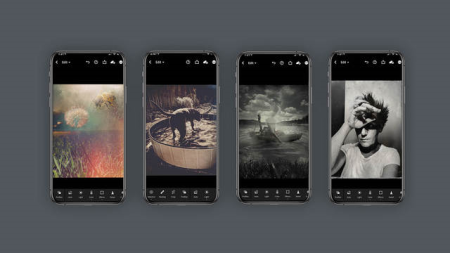
MP4 | Video: h264, 1280x720 | Audio: AAC, 44.1 KHz, 2 ChGenre: eLearning | Language: English + srt | Duration: 13 Lessons (1h 9m) | Size: 497.7 MB
Is It Image Capture, Or Illustration.
Video Training → Udemy - Differential Equations for Engineers
Published by: voska89 on 14-03-2022, 15:24 | 0

MP4 | Video: h264, 1280x720 | Audio: AAC, 44.1 KHz, 2 Ch
Genre: eLearning | Language: English + srt | Duration: 60 lectures (8h 34m) | Size: 3.64 GB
Differential Equations Step by Step | Formation of Differential Equations | Solution of Differential Equations
Video Training → Introduction to Using Multiple Flashes with Mike Hagen
Published by: voska89 on 14-03-2022, 15:23 | 0
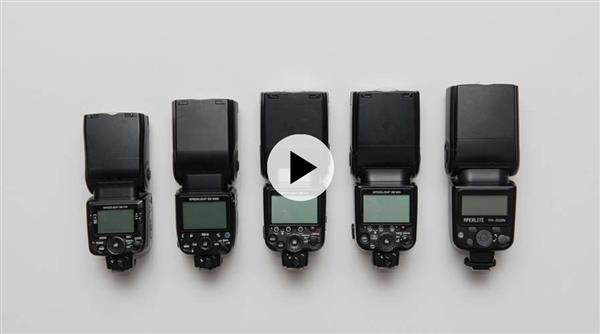
Introduction to Using Multiple Flashes with Mike Hagen
Instructors: Mike Hagen | Duration: 5h 12m * 27 Lessons
Video: MP4 1280x720 44 KHz | English | Size: 4.242 GB
Take Control And Create The Best Lighting For Your Photography
If you want complete control over the image you're taking, you need to use multiple flashes. Mike Hagen will take what appears complex and explain how to make it achievable to help get your studio lighting to an elite level.
Video Training → INSYDIUM - X-Particles Maintenance Training
Published by: voska89 on 14-03-2022, 15:18 | 0
INSYDIUM - X-Particles Maintenance Training
Video: MP4 1920x1080 44 KHz | English | Duration: 5 courses | Size: 14 GB
Tutorials
- Constraints
- ExplosiaFX
- FlowField
- Premium Training Special Access
- XP Countdown
This scene-based series is suitable for customers with basic particle knowledge; the chapters flow with logical progression. Intermediate level and advanced X-Particles users will benefit from the in-depth level of detail throughout the series.
Video Training → Under-Ground Piping Networks & Stress Analysis
Published by: voska89 on 14-03-2022, 15:15 | 0

MP4 | Video: h264, 1280x720 | Audio: AAC, 44.1 KHz, 2 Ch
Genre: eLearning | Language: English + srt | Duration: 23 lectures (2h 51m) | Size: 1.28 GB
Piping & Stress Analysis for UG
Video Training → An Introduction to Metallurgy
Published by: voska89 on 14-03-2022, 15:14 | 0

MP4 | Video: h264, 1280x720 | Audio: AAC, 44.1 KHz, 2 Ch
Genre: eLearning | Language: English + srt | Duration: 21 lectures (3h 3m) | Size: 1.6 GB
A Starting Point for Manufacturing Professionals to Understand Metals and Their Properties
Video Training → The Gnomon Workshop – Introduction to Grooming with Ornatrix in Maya with Santhosh Koneru
Published by: LeeAndro on 14-03-2022, 15:11 | 0
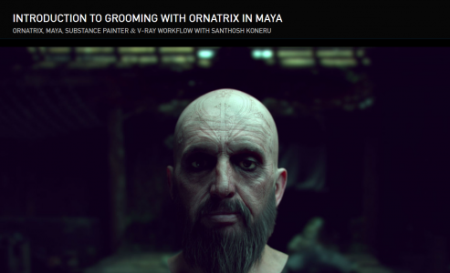
File Size :1.2GB
This introductory workshop reveals everything you need to know to create hair for both animated characters and still renders using Ornatrix in Maya. Santhosh Koneru, a 3D Generalist, details all the basics as well as the essential tools required to generate realistic hair for your 3D characters. The focus of this video tutorial is on creating facial hair for a character that will eventually be animated. The workflow demonstrated can also be applied even if you only intend to render a still of your character for your portfolio. Santhosh covers topics including the creation of Distribution Maps and Length/Thickness Maps using Substance Painter and shows how to extensively use Modifiers to match your hair groom with reference images. He shares shading techniques using the new V-Ray Hair Shader in V-Ray 5 for Maya and divulges tips for how to optimize your scenes for a CG cinematic project with additional advice on how to render projects on your home workstation. Santhosh also includes a quick overview of using dynamics in Ornatrix.
Video Training → The Gnomon Workshop – Environmental Storytelling Composition and Shape Language
Published by: LeeAndro on 14-03-2022, 15:11 | 0

File Size :1.4GB
In this title, Art Director Eddie Bennun shares his workflow for designing a credible game environment that portrays a clear story. Using Google SketchUp and Adobe Photoshop, Eddie explores the importance of shape language and its crucial role in creating a narrative composition. As the image evolves from big shapes and silhouettes to small storytelling details, a variety of tools, techniques and strats are explained to assist the student's understanding of Eddie's professional process. Topics include how to keep consistency between foreground and background, creating a sense of depth and distance, choosing proper camera angles, photo textures and credibility, and attracting the viewer's curiosity. For those developing their environment design skills, this title provides a valuable lesson on how to take the efficiency of 3D layout into presentation ready illustration using 2D paintover techniques.
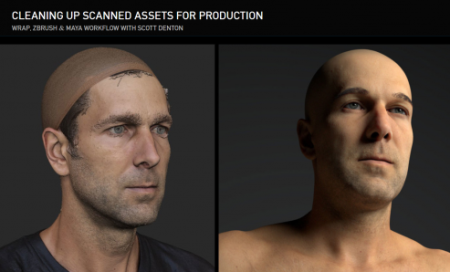
Video Training → The Gnomon Workshop – Cleaning Up Scanned Assets for Production with Scott Denton
Published by: LeeAndro on 14-03-2022, 15:11 | 0
File Size :1.2GB
Discover how to take pre-existing scanned assets and quickly and professionally clean them up using a combination of Wrap 3, ZBrush, and Maya. This workshop by Modeler and Generalist, Scott Denton, details the clean-up of a scan created by NYCap3D using the state-of-the-art photogrammetry solution, RealityCapture, along with assets produced by 3D Scan Store. A brief preview of Zoo Tools is also covered. Throughout the course of the workshop, Scott discusses how to use Wrap 3 and ZBrush to transfer textures and displacement details from the 3dScanstore mesh. He also goes over some of the specific setups and essential tools inside of both Wrap and ZBrush that help to speed up the overall workflow. Scott teaches the important export options that you need to know and includes a demonstration on how to hook the textures up in Maya to achieve a render worthy of being passed on to a look-development artist. Helpings of industry tips are included along the way, particularly when it comes to what look-dev artists expect of modelers, plus tricks for organizing and naming your files like a pro.

