



Video Training →Photo Editing Using Picsart
Published by: LeeAndro on 21-02-2023, 09:08 |  0
0
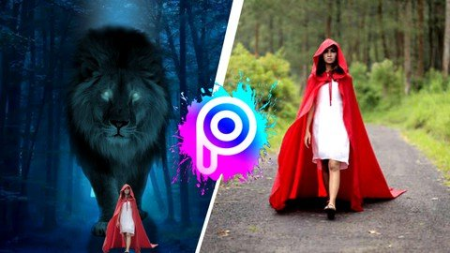
Published 2/2023MP4 | Video: h264, 1280x720 | Audio: AAC, 44.1 KHzLanguage: English | Size: 4.25 GB | Duration: 5h 48m
Image Editing by Using Picsart / Photo Editing by Using Picsart / Portrait Editing by Using Picsart / Photography
What you'll learn
You will learn how to edit and enhance your image.
Understanding the concept of blending mode.
learning how we use the effects to retouch up portraits.
understanding the concept how you can make advance portrait.
learning the beneficial concepts of picsart
learning layer based editing which have reserved premium application.
Understanding the concept of how to design professional logo's.
Requirements
There is no requirement because this course is suitable for both complete bners as well who are already familiar with picsart.
Description
If you want to create your own masterpiece in the form of a photo, you need a good image editing course. ..That's where PicsArt comes in. This Photo editing course has everything you need to create amazing artwork and special effects in your photos. This course is full of amazing tutorials on how to do things like add light leaks, create cool effects, make your photos look like watercolor paintings, and much more. ..This course is perfect for bners and experts alike, and you'll be able to create your own masterpiece in no ...PicsArt is the world's best image editing course for everyone. It is a digital photography app that can help you learn how to edit and enhance your images. It has more than 1 billion users from around the world.PicsArt is an online photo editing app with a unique design. PicsArt lets you create and share your art with others. You can use it to edit your photos with paint brushes, pencils, text, and other artistic tools. Picsart is just a substitute for Adobe Lightroom and Photoshop. The idea behind Picsart image editing course is to give you the tools you need to be able to create your own graphics and artwork.
Overview
Section 1: Welcome To The course
Lecture 1 Introduction To The Course
Lecture 2 How To Install Picsart Application
Lecture 3 How To Add Font In Picsart Application
Section 2: Tools Of Picsart Application
Lecture 4 Crop
Lecture 5 Free Crop
Lecture 6 Shap Crop
Lecture 7 Dispersion
Lecture 8 Clone
Lecture 9 Remove
Lecture 10 Stretch
Lecture 11 Motion
Lecture 12 Selection
Lecture 13 curves
Lecture 14 Adjust
Lecture 15 Enhance
Lecture 16 Tilt & Shift
Lecture 17 Resize
Lecture 18 Flip & Rotate
Lecture 19 AI Enhance
Section 3: Advance Features of Picsart Application
Lecture 20 Effect
Lecture 21 Retouch/Beautify
Lecture 22 Remove BG ( Premium )
Lecture 23 Sticker
Lecture 24 Cutout
Lecture 25 Replay
Lecture 26 Text
Lecture 27 Add Photo (Media ) / Fit
Lecture 28 Brushes & Border
Lecture 29 Mask
Lecture 30 Draw
Lecture 31 Lens Flare
Lecture 32 Shap Mask
Lecture 33 Frame
Lecture 34 Callout
Section 4: Advance Techniques
Lecture 35 Double Exposure Effect
Lecture 36 Ink Splash Portrait
Lecture 37 Letter Portrait
Lecture 38 Name Text Photo Edit
Lecture 39 Typography Text Photo Editing
Section 5: How to create professional & business logo's.
Lecture 40 3D paper logo
Lecture 41 Golden face logo
Lecture 42 Gaming Logo
Lecture 43 Professional logo
Lecture 44 Text logo
Section 6: How to design Instagram portrait.
Lecture 45 3D post edit
Lecture 46 Instagram 3D paper portrait edit
Lecture 47 Instagram 3D viral realistic concept
Lecture 48 Instagram black profile
Lecture 49 Instagram Portrait Edits
Section 7: Advance Technique Part -2
Lecture 50 Broken Head Manipulation
Lecture 51 Banner Design for Different Different social media platforms
Lecture 52 Background Manipulation with the animals and images
Lecture 53 Caricature Portrait
Section 8: Assignments
Lecture 54 Assignment 1
Lecture 55 Solution 1
Lecture 56 Assignment 2
Lecture 57 Solution 2
Lecture 58 Assignment
Lecture 59 Solution 3
Section 9: Picsart Examples
Lecture 60 Example 1
Lecture 61 Example 2
Lecture 62 Example 3
Lecture 63 Example 4
Section 10: Final words
Lecture 64 Conclusion
Anyone who is trying to create masterpiece portrait.,Those people who are trying to learn something about how we use image editing app
HomePage:
https://www.udemy.com/course/photo-editing-using-picsart/DOWNLOAD
1dl
https://1dl.net/ag0760magwl9/0cUJcOKb__Photo_Edit.part1.rar
https://1dl.net/b8zvjswpli2l/0cUJcOKb__Photo_Edit.part2.rar
https://1dl.net/e2a6s3lo75t4/0cUJcOKb__Photo_Edit.part3.rar
https://1dl.net/4kjvlj78zcs4/0cUJcOKb__Photo_Edit.part4.rar
https://1dl.net/6gjulf4k49he/0cUJcOKb__Photo_Edit.part5.rar
uploadgig
https://uploadgig.com/file/download/4422e6DCc7e244a4/0cUJcOKb__Photo_Edit.part1.rar
https://uploadgig.com/file/download/93e43697e6071816/0cUJcOKb__Photo_Edit.part2.rar
https://uploadgig.com/file/download/623E8ce8aaD5d3cB/0cUJcOKb__Photo_Edit.part3.rar
https://uploadgig.com/file/download/1e15616d2b48cce1/0cUJcOKb__Photo_Edit.part4.rar
https://uploadgig.com/file/download/80b3138AD7ab309a/0cUJcOKb__Photo_Edit.part5.rar
rapidgator
https://rapidgator.net/file/03f18c1ff08b9eb811a763164f10f0f8/0cUJcOKb__Photo_Edit.part1.rar.html
https://rapidgator.net/file/000932308b0f1d805d3c5a6a44f17ef5/0cUJcOKb__Photo_Edit.part2.rar.html
https://rapidgator.net/file/a0f8f813d32e495ea231159c393a77f9/0cUJcOKb__Photo_Edit.part3.rar.html
https://rapidgator.net/file/1076753303a0c223ea8e5c143669af02/0cUJcOKb__Photo_Edit.part4.rar.html
https://rapidgator.net/file/71a64303c4d63aae3403d173cb1d45c3/0cUJcOKb__Photo_Edit.part5.rar.html
Related News
-
{related-news}