



Video Training →Troubleshooting Adobe Textile Design Issues
Published by: LeeAndro on 19-01-2023, 07:54 |  0
0
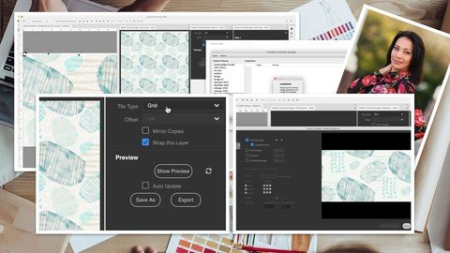
Last updated 3/2020MP4 | Video: h264, 1280x720 | Audio: AAC, 44.1 KHzLanguage: English | Size: 626.01 MB | Duration: 0h 42m
Resolving installation and export issues once and for all
What you'll learn
Students will learn how to troubleshoot Adobe Textile Design Issues
Students will learn to make adjustments to pattern
Students will learn basic Photoshop pattern making skills
Students will learn about the offset filter in Photoshop
Requirements
Some Photoshop experience is recommended
Surface pattern design experience is an asset
Description
In this class, Troubleshooting Adobe Textile Design Issues, I will try to cover all aspects of the Adobe Textile Designer Extension and Plug Ins. I have gleaned many topics from the Adobe Textile Designer Forums where users try to find resolutions for issues. I have also personally run into issues that I will resolve on screen to help clarify roadblocks and pitfalls. The two main categories I will address are installation issues and export issues. Included throughout are resolution for issues like the technical button being greyed out, the "oops" message, the "expired" message and more. I also address Export to grid or repeating tile, how to export as a tiff and how to add a watermark.Having basic knowledge of Photoshop and Pattern Design is an asset, but use of the Plug-In will be explained right from installation to export. You may have tried using ATD, but now you can learn it in depth. The most important aspect of this course is learning about how to troubleshoot and resolve issues specific to your personal set-up. I try to cover everything I can think of.I will be demonstrating the creating of a simple pattern from start to finish and we will go right through to exporting it.
Overview
Section 1: Introduction
Lecture 1 Adobe Textile Designer Installation Issues
Lecture 2 Alternate Installation Method
Lecture 3 Saving Full Edits in ATD, Workspace Set-Up, and Export
Lecture 4 Color Export lssues, Colorway Confusion, and Unavailable Options
Lecture 5 Warning Symbols, Syncing, and New Feature
Lecture 6 Exporting the Repeat Tile
Lecture 7 Examining Output and Tips on Creative Problem Solving
Adobe Photoshop and Textile Designer users who are experiencing problems and issues,New designers looking to understand the Adobe Textile Designer plug in
HomePage:
https://www.udemy.com/course/troubleshooting-adobe-textile-design-issues/DOWNLOAD
1dl
uploadgig
rapidgator
Related News
-
{related-news}