



Video Training →Canvas Workspace - Creating Boxes & Envelopes
Published by: LeeAndro on 10-11-2022, 15:07 |  0
0
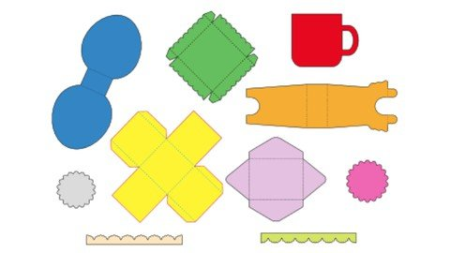
Last updated 6/2021MP4 | Video: h264, 1280x720 | Audio: AAC, 44.1 KHzLanguage: English | Size: 5.53 GB | Duration: 7h 13m
Design & Customize Projects for your Brother ScanNCut
What you'll learn
You will be able to customize Canvas Workspace Projects.
You will be able to design boxes & envelopes using Canvas Workspace.
You will learn how to use Canvas Workspace tools and work with layers.
You will be able to design boxes using the Template Maker application.
Requirements
Canvas Workspace version 2.5.0 (free software from Brother)
A Brother ScanNCut or the curiosity to learn more about the machine.
You will need several types of materials to cut including patterned paper and cardstock.
Description
Would you like to design and customize boxes and envelopes Do you want to delve deeper into the Canvas Workspace software Would you like to take your crafting skills to a whole new level In this Canvas Workspace - Creating Boxes & Envelopes Course, you will learn how to customize the Canvas Workspace project files, how to design and cut boxes and envelopes and how to customize files using the Template Maker application. The skills you learn can be applied to your specific projects and will spark your imagination as to the possibilities for beautiful packaging.This course is hands-on with many practical examples and projects. This course is mostly software based. You can apply your skills to ANY model of Brother ScanNCut. Use materials from your craft stash to cut and embellish the boxes and envelopes you create. You will watch detailed tutorials and then practice and share what you learn. The course never expires so there will be chances to review the material again as you want to try the skills you learn. I encourage you to share your work with other students in the course. Feel free to interact with the course content, to ask questions and to share your experiences with designing and cutting files on your ScanNCut. I look forward to embarking on this crafty adventure with you.This course includes the following topics:Course IntroductionCanvas Workspace IntroductionCovering BoxesCreating EnvelopesCanvas Workspace ProjectsDesign a Box using the ArtboardCreating SVGs with Template MakerDesign a Box with ShapesDesign a Lid with a Border
Overview
Section 1: Introduction
Lecture 1 Introduction
Lecture 2 Course Projects
Lecture 3 ing Canvas Workspace
Lecture 4 Introduction to Canvas Workspace
Section 2: Covering Boxes
Lecture 5 Creating & Duplicating Shapes
Lecture 6 Creating a Layout & Transferring the Cutting File
Lecture 7 SDX125 - Retrieving & Cutting the File
Lecture 8 CM350 - Retrieving & Cutting the File
Lecture 9 Completed Mini Paper Pumpkin Boxes
Section 3: Creating Envelopes
Lecture 10 Resizing, Duplicating, & Rotating Shapes
Lecture 11 Aligning & Welding Shapes
Lecture 12 Vertical & Horizontal Distribute
Lecture 13 Creating Score Lines
Lecture 14 Assembling the Envelope & Completed Projects
Section 4: Canvas Workspace Projects
Lecture 15 Opening Canvas Workspace Projects
Lecture 16 Customizing a Built in Project - Resizing
Lecture 17 Assembling the Mother's Day Gift Box
Lecture 18 Personalizing a Project - Fit Text to Path
Lecture 19 SDX125 - Drawing with the Pen Tool
Lecture 20 CM350 - Drawing with the Pen Tool
Lecture 21 Assembling the Easter Egg Gift Box
Lecture 22 Completed Canvas Workspace Projects
Section 5: Design a Box using the Artboard
Lecture 23 Chag the Artboard Grid
Lecture 24 Dividing Shapes
Lecture 25 Adding Score Lines
Lecture 26 Adding & Aligning Holes
Lecture 27 Assembling & Completed Party Favor Boxes
Section 6: Creating SVGs with Template Maker
Lecture 28 Introduction to Template Maker
Lecture 29 Creating a Trapezoid Box
Lecture 30 Importing an SVG & Working with Layers
Lecture 31 Assembling the Trapezoid Box
Lecture 32 Creating a Polygonal Box
Lecture 33 Importing an SVG & Adding Shapes
Lecture 34 Assembling the Polygonal Box
Lecture 35 Creating a Box with a Lid
Lecture 36 Importing an SVG & Artboard Settings
Lecture 37 Assembling the Box with a Lid
Lecture 38 Finished Template Maker Projects
Section 7: Design a Box with Shapes
Lecture 39 Welding & Dividing Shapes
Lecture 40 Duplicating, Distributing & Mirroring Shapes
Lecture 41 Creating the Sides of the Box
Lecture 42 Assembling & Completed Coffee Cup Boxes
Section 8: Create Shaker Box Toppers
Lecture 43 Creating a Shaker Box Topper
Lecture 44 Creating a Mini Pizza Box Template
Lecture 45 Assembling & Completed Shaker Box
Section 9: Design a Lid with a Border
Lecture 46 Welding Borders to Sides of Lid
Lecture 47 Create Flaps & Score Lines
Lecture 48 Creating the Bottom of the Box
Lecture 49 Assembling the Lid & Completed Projects
Brother ScanNCut Owners,Paper Crafters who love to create 3D items.,Crafters who want to create pretty packaging for cards and gifts.,Crafters who are interested in learning features and capabilities of the Canvas Workspace software.
HomePage:
Https://anonymz.com/https://www.udemy.com/course/canvas-workspace-boxes/DOWNLOAD
1dl.net
https://1dl.net/pjo2rbg7hmdy/IfZPVfit__CanvasWork.part1.rar.html
https://1dl.net/i2ksxdkqpu2z/IfZPVfit__CanvasWork.part2.rar.html
https://1dl.net/2n9gjwsuxmjq/IfZPVfit__CanvasWork.part3.rar.html
https://1dl.net/lcwdzu0hlkb9/IfZPVfit__CanvasWork.part4.rar.html
https://1dl.net/oz4l3aqqqofa/IfZPVfit__CanvasWork.part5.rar.html
https://1dl.net/p6nminkxnsdv/IfZPVfit__CanvasWork.part6.rar.html
uploadgig.com
https://uploadgig.com/file/download/179d20287f08630f/IfZPVfit__CanvasWork.part1.rar
https://uploadgig.com/file/download/faf96E78dd8d4A6C/IfZPVfit__CanvasWork.part2.rar
https://uploadgig.com/file/download/c2B7df562fFA3598/IfZPVfit__CanvasWork.part3.rar
https://uploadgig.com/file/download/5811127388184A88/IfZPVfit__CanvasWork.part4.rar
https://uploadgig.com/file/download/6cBD2ad8e2a4c1Be/IfZPVfit__CanvasWork.part5.rar
https://uploadgig.com/file/download/F087D96ddeeafaEf/IfZPVfit__CanvasWork.part6.rar
rapidgator.net
https://rapidgator.net/file/ca022ccfeeed0b1390f47bdfa7786e08/IfZPVfit__CanvasWork.part1.rar.html
https://rapidgator.net/file/ecf49dbb64b3efd2fdba0652571741c0/IfZPVfit__CanvasWork.part2.rar.html
https://rapidgator.net/file/567f5366003ea9e3efe4c3e7f64de4bd/IfZPVfit__CanvasWork.part3.rar.html
https://rapidgator.net/file/a2ad1de74cd35572fa4a06a596acff21/IfZPVfit__CanvasWork.part4.rar.html
https://rapidgator.net/file/fb8d33f032a26cecb8876024024218a1/IfZPVfit__CanvasWork.part5.rar.html
https://rapidgator.net/file/054b4654ce51ba3d17c8e9962c05650b/IfZPVfit__CanvasWork.part6.rar.html
Related News
-
{related-news}