



Video Training →Wordpress Multisite - Step By Step
Published by: LeeAndro on 3-11-2022, 08:37 |  0
0
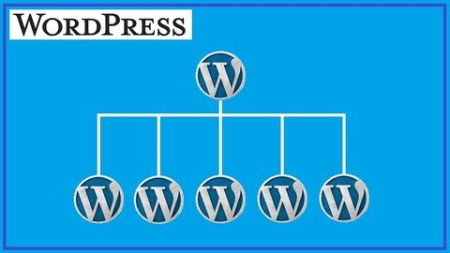
Last updated 5/2018MP4 | Video: h264, 1280x720 | Audio: AAC, 44.1 KHzLanguage: English | Size: 484.23 MB | Duration: 0h 52m
The ultimate in-depth course on Multisite.
What you'll learn
After taking this course, you will be able to create and manage a WordPress Multisite network.
Requirements
Basic WordPress knowledge is recommended. You should be comfortable with installing themes/plugins and creating pages.
Description
Learn what it takes to build a fully functioning WordPress network online using Multisite.
A Marketable Skill For all Current and Future Developers
Each day more website owners are consolidating their websites into one easy to manage Multisite installation. Whether it is a basic presence site, a membership site, a subscription based service or a Woocommerce store. You can now manage all of these sites in one admin dashboard.
We leave nothing to chance in this course. We start from a basic WordPress site and turn it into a fully functional Multisite network. By the conclusion of the course, you will be able to successfully
Install Multisite using Softaculous Install Multisite manually Configure Network Settings Add Sites Delete Sites Keep your Multisite installation secure and much more
With this newly knowledge, you will be able to create online networks for yourself or your clients. This course contains 20 lectures and 1 hour of content.
Best part of all in our Learn By Doing sections, you actually walk through the process of setting up different parts of the Multisite network. I look forward to bning of our learning journey.
Overview
Section 1: Course Introduction
Lecture 1 Video 1 - Chapter 1 - Introduction
Section 2: Should I Use Multisite
Lecture 2 Should I Use Multisite
Section 3: Multisite Structure Options
Lecture 3 Deciding on Structure
Section 4: Site Considerations
Lecture 4 Creating Your Base Site
Section 5: Security Considerations
Lecture 5 Security Options For Your Site
Section 6: Learn By Doing 1
Lecture 6 Learn By Doing 1 - Part 1
Lecture 7 Learn By Doing 1 - Part 2
Lecture 8 Learn By Doing 1 - Part 3
Lecture 9 Learn By Doing 1 - Part 4
Lecture 10 Learn By Doing 1 - Part 5
Section 7: Learn By Doing 2
Lecture 11 Learn By Doing 2
Section 8: Multisite Roles
Lecture 12 Things a Super Admin can do that Administrators can't do
Section 9: Network Considerations
Lecture 13 Network Enabling Themes and Plugins
Section 10: Site Management
Lecture 14 Adding Sites in Multisite
Lecture 15 Deleting Sites in Multisite
Section 11: Learn By Doing 4
Lecture 16 Learn By Doing 4 - Part 1
Lecture 17 Learn By Doing 4 - Part 2
Section 12: Learn By Doing 5
Lecture 18 Learn By Doing 5
Section 13: What's Next
Lecture 19 Where Do I Go From Here
Section 14: Conclusion
Lecture 20 Conclusion
This course is for anyone interested in administering a network of websites.
HomePage:
Https://anonymz.com/https://www.udemy.com/course/wp-multisite/DOWNLOAD
1dl.net
uploadgig.com
rapidgator.net
Related News
-
{related-news}