



Software / System Tools →USB Manager 2.06
Published by: LeeAndro on 18-08-2021, 15:38 |  0
0
File Size : 2.6 Mb
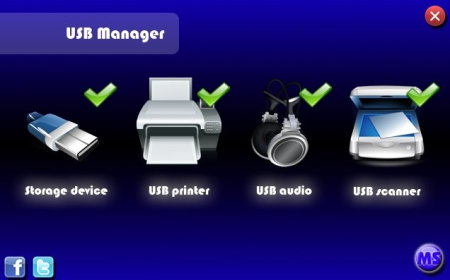
Small Windows utility that can quickly enable and disable USB ports.
It has interface and runs from the system tray. You can control the devices from the right-click context menu or main graphical form. It allows users to control USB devices such as, storage, printers, scanners, audio, and other devices.
It can also be used to lock a device. Suppose you want to disable printing, scanning, or a storage device, first disable it and then go to options to Password Protect the settings. This can in fact be very useful. If you have a computer in office Workspace and are worried that someone might copy a file then you can disable storage devices and password protect it. Once done, all USB inserted in your computer will fail to work.
Enable\Disable USB ports by type of devices;
Easy interface;
Hiding in system;
Password protect;
Hot keys for quick using;
Autorun with windows;
Fixed compatibility with devices;
DOWNLOAD
uploadgig.com
rapidgator.net
nitro.download
Related News
-
{related-news}