



Software / System Tools →S&S Computing SewWhat-Pro 4.5.3.070522 Multilingual
Published by: LeeAndro on 18-07-2022, 20:50 |  0
0
File size: 31.3 MB
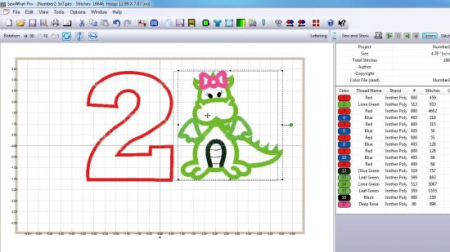
SewWhat-Pro is software for viewing, editing and converting embroidery files arising from various different sewing manufacturers.
It includes all the features available in the SewWhat! editor, plus various additional Integrated Project Management features (see the description of SewWhat-Pro features below). A plugin is available from myriaCross (see features list below) for converting Cross-Stitch files to embroidery files. Advanced Features in SewWhat-Pro
Cutting toolbar allows graphic separation of patterns at specific stitches
Density adjustment dialog to resize a pattern at constant density
Graphical or text-based reordering of thread color stops is available
Capability to write Smart Media or Compact Flash cards for Singer, Brother, Janome, and new Bernina machines
Converts Cross Stitch patterns to embroidery files using a "plugin" from myriaCross (MC). You may the DEMO, or purchase the MC plugin for SewWhat-Pro, here. Once the plugin is installed, it becomes seamlessly integrated into the SewWhat-Pro workspace and can be used to preview and convert a variety of different Cross-stitch formats. NOTE: If installing the plugin on a 64-bit computer, be sure to use the 64-bit version of SewWhat-Pro. After updating to Windows 8/8.1, if the plugin stops working, simply uninstall and reinstall to reactive it.
Supports a command-line interface for file conversion which has the form
SewWhat-Pro.exe file1.ext1 file2.ext2 /c
(be sure to put file names or paths with blanks inside quotes)
Integrated Project Management Features of SewWhat-Pro
Includes an editable table for entering project information
Easily editable list of thread colors and manufacturer brands
Capability to read/write thread color "txt" files for single/multiple projects
Thread palettes from over 15 manufacturers are available
Customizable user-defined thread palettes can be easily added
System Requirements
All software products sold by S & S Computing are native Windows applications. They will run on versions of the Windows OS (Operating System) including XP (SP3 must be installed), VISTA, Windows 7, 8, 8.1 and 10. To run our software on an Intel-based MAC computer, you must install either a free emulator (Boot Camp© or VirtualBox©) or a commercial emulator (Parallels© or VMWare Fusion©), together with a version of the Windows OS (from XP upwards will work). Then use the Windows button on our product pages to install the software.
What's New
1. Fix bug saving hoop size for Fast Frame
2. Fix alignment issue for Fast Frame
3. Add New Brothread (041922)
4. Restore Unzip (all files) button to File open dialog (042622)
5. Add option to filter small jump stitches to the Edit/Filter stitches menu
6. Fix reading certain JEF files (hoop cap) - 070522
7. Fix bug with inserting stitching AFTER existing stitch in cutting toolbar INSERT
8. Fix bug with ALT+C accelerator
9. Fix bug reading size of some DST files
HomePage:
https://anonymz.com/https://www.sandscomputing.com/DOWNLOAD
1dl.net
uploadgig.com
rapidgator.net
Related News
-
{related-news}