



Software / Operating System →Windows 11 Pro Phoenix Lite Build 22000.434 x64 English PreActivated
Published by: LeeAndro on 13-01-2022, 08:59 |  0
0
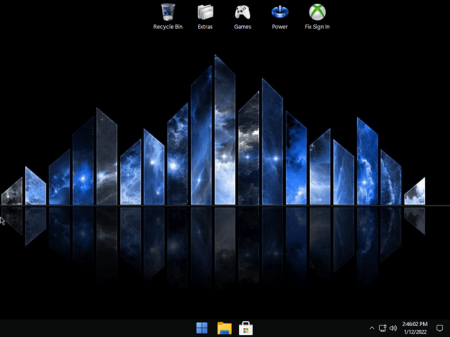
Windows x64 | Language: English US | File Size: 2.71 GB
Designed to work well on older low spec PC's.
Uses significantly less storage space, idle RAM and CPU Processes. Improves System Responsiveness. Reduces Boot , and software loading s. Improves gaming and productivity performance. Enhances Desktop looks with taskbar transparency and added themes. Also Great for use on modern high end PC's.
- EXTREME Gaming Performance! Fast, Smooth, Light, and Tweaked to give you extreme performance for your gaming needs! Support for UWP Apps and Xbox Game Pass.
- Uses less than 500 MB Idle RAM!, Low CPU Processes, Fast Installation, Extreme Performance for Productivity and Gaming, Lightning fast Boot and Load s.
- Removed features include - Microsoft Edge, and Some UWP Apps.
- Disabled Features include - Error Reporting, Indexing, UAC, Ads, Telemetry, Paging File, Hibernation, Power Throttling, Automatic Maintenance and Blocking.
- Additions include enhanced Desktop Beauty with Transparent Task bar and Additional Themes, Additional Context Menu Options, Basic Game Suite, and Basic Tools in Start Menu to Give you back control of your Windows Desktop.
- We want YOU to have control over your Windows, so we chose not to Pre Install much software, or Web Browsers, because we know everyone's needs, and preferences are different. Several web browser installation files and some other goodies can be found in the 'Extras' Folder on the Desktop.
- Highly recommend writing to USB with Rufus, For Clean Install Only.
- System Requirements: 9 GB Storage, 2 GB RAM, Not Pre-Activated, Activator Included if Needed.
Note: recommend to and install DX9 and VC++ Runs. If you plan on Installing and Using the Xbox App, make sure you go into the App Settings, and also install 'Xbox Identity Provider', and 'Xbox Gaming Services' as well. And enable UAC using my 'Sign In Fix' (located on the desktop). If you plan on perfog Cumulative Updates / Defender Updates, and want to keep Defender Disabled, After Updates are Complete, Open WinAeroTweaker, Check Box 'Disable Windows Defender' and Reboot.
DOWNLOAD
uploadgig.com
https://uploadgig.com/file/download/6eb6C5af0c0d87D9/LjawYMyX__Phoenix_LiteOS_11_22000.434.part1.rar
https://uploadgig.com/file/download/ebBe9ab6dd1de641/LjawYMyX__Phoenix_LiteOS_11_22000.434.part2.rar
https://uploadgig.com/file/download/c29Df2f0333C8f0a/LjawYMyX__Phoenix_LiteOS_11_22000.434.part3.rar
rapidgator.net
https://rapidgator.net/file/e257f8a159f68979067c42adc6a066c1/LjawYMyX__Phoenix_LiteOS_11_22000.434.part1.rar.html
https://rapidgator.net/file/bf22b74ae06af5f084cdcfc7ecd2aa82/LjawYMyX__Phoenix_LiteOS_11_22000.434.part2.rar.html
https://rapidgator.net/file/4a2d1a9a12f3fb38319e674e46545c3f/LjawYMyX__Phoenix_LiteOS_11_22000.434.part3.rar.html
nitro.download
Related News
-
{related-news}