



Software / Multimedia →FRSFileMgr 6.4.0
Published by: LeeAndro on 27-01-2021, 09:06 |  0
0
File size: 8.0 MB
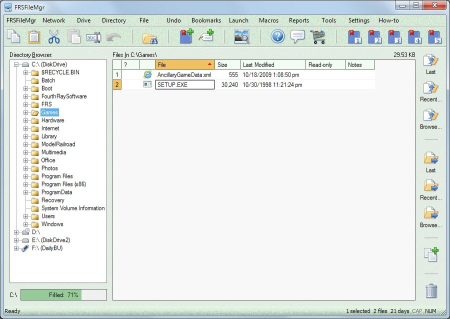
FRSFil is a true Windows file manager.
Easier to use than Windows Explorer, because it only manages files, directories, and drives; nothing else.
Rename a group of files (e.g. digital camera files).
Completely reverse almost any file or directory change.
Print a directory's file listing.
Add your own notes to files.
View key information in the main window.
Bookmark often-used files and/or directories for later recall.
Handy bookmark toolbar buttons.
View and, optionally, delete ALL temporary files.
Easily view and extract .zip files.
Create macros for doing repetitive actions.
Native 64-bit version now available.
NEW! Thoroughly integrated Documentation Center for quick access to supplemental info.
Fixed:
When moving a sub-set of the files using the "Directory | Move To | Select and Refine..." menu
command and selecting all directories but only a sub-set of the files, all files NOT selected were
deleted, and a second coding error led to there being no undo information generated for those
files, so there was no way to reverse those deletions.
The "Upgraded!" toolbar button may have been shown each the application was started.
Chag the main window's color scheme via "Settings | Color Scheme..." wasn't applied until the application was re-started.
The text above the grid that shows the total size of the file(s) selected, wasn't always updated.
When renaming a file such that only the case of the letters of the name was changed (e.g.
"Apples.txt" to "apples.txt"), the file disappeared from the display (the file was not deleted,
though; the main window's Files grid just wasn't updated).
There were some scenarios under which the number of files selected or shown in the statusbar wasn't correctly updated (e.g. after having moved one or more files).
The "Manage Sub-directories" window somes had its "Delete" button disabled for no reason.
Somes, when doing a search for files, the "Cancel" button of the "Find Files and
Directories" window took a very long to actually stop the search.
After formatting a drive, FRSFil continued to show the old listing of files and directories in its main window.
When the "File | Fix Bad File Name" menu command completed, the data for that file may not have been updated in the main window's Files grid.
Ejecting thumbdrives using FRSFil did not always succeed.
Pasting text into the main Files grid's "Notes" column, such that the column triggered a
horizontal scrollbar, somes led to the grid's background not being drawn properly, and
subsequently not being able to scroll to the left-most columns using the arrow keys.
The incorrect license agreement was distributed with the recent installation programs, and has been corrected with this one
DOWNLOAD
uploadgig
rapidgator
nitroflare
Related News
-
{related-news}