



Software / For MacOSX →KID PIX 5 - The STEAM Edition 5.0.3 macOS
Published by: LeeAndro on 4-11-2020, 13:38 |  0
0
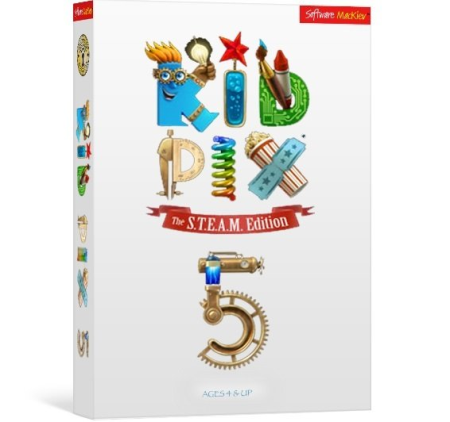
Languages: English | File Size: 3.44 GB
The new STEAM Edition of KID PIX enters a world where art and science reunite and critical thinking meets creative making.
Young artists can now transform their digital stories an adventures into interactive digital art, science and math projects with the help of STEAM activities tailored to suit the needs of your ingenious young inventors. New button actions enable students to design interactive quizzes or create a learning game. Using a variety of animated costumes and the built-in recording studio, students can star in their own documentaries or talk to an animated character who shares the screen.
Make self-running kiosk presentations with new Navigation Buttons.
Use the video magic studio to interact with animated characters on screen.
Make any object tappable so that it sings and dances when selected.
Play narration, musical notes or sound effects when an object is tapped.
Use hundreds of new 3D objects and rich 3D backgrounds to help set the scene.
Create floating tappable stickers out of anything that appears on the screen.
Rotating and resizing stickers, animations, movies and text while moving them along a path is as simple as pinching and dragging, making it easy to create characters who hop, jump, fly, and spin around the screen.
No longer bound to a linear model, students can create interactive characters that react when tapped - to tell a story, sing a song, make a funny noise, or even take off and whiz around the screen.
Slide Shows and stop-action flipbook movies can be created on the same screen as the paint canvas using the new Slide Show Tube.
New tools allow you to make an object out of anything you see on screen.
New button stickers let you add interactive navigation options in Slide Shows such as stop playing, next page, and go back a step.
Now you can attach a sound directly to any object that will play when it's tapped. Available sounds include recording your own voice, musical instruments and sound effects so you can make clocks that tick, dragons that talk, or create a wacky musical instrument that makes animal noises instead of notes.
Bring a sense of perspective to your path animations with this new option. Objects gradually grow larger as they move towards the bottom of the canvas, as if they're getting closer, and smaller as they travel towards the top, like they're moving away.
In this mode compact but informative help for everything you see on the screen is one tap away.
Record a full-length narration for your Slide Show or give voices to all the characters in your animated tale.
Unlimited Undo and Redo
Multi-layered 3D backgrounds
3D animated characters and objects
163 video backgrounds
Easy path animation for characters, stickers, and text
Objects can be rotated, even on a path
Triple sound tracks for projects
Enhanced video narration with animated costume frames
Creation of new stickers by cutting out parts of a picture and making white areas transparent
Layer Tools to move objects between layers
Publishing directly to YouTube
Sharing to Dropbox, Google Drive, or FTP server
Flipbook and Storybook options for Slide Shows
50 state-of-the-art transition effects for Slide Shows
Great new art!
- Operating System: macOS 10.6.8 or later, including 10.15 "Catalina"
- Processor: Any Intel-based Mac
- Memory: 1 GB RAM (2 GB recommended)
- Display: 1024 x 768, millions of colors
- Free Hard Disk Space: 5.4 GB
- DVD or USB Drive: For installation only if ordering a copy on DVD or USB.
DOWNLOAD
uploadgig
https://uploadgig.com/file/download/6bfe05ddB7e518ef/qD8VmTnM_.KP5_.part1.rar
https://uploadgig.com/file/download/BBaf543ee0ba81bb/qD8VmTnM_.KP5_.part2.rar
https://uploadgig.com/file/download/1e231f178c545aa5/qD8VmTnM_.KP5_.part3.rar
https://uploadgig.com/file/download/3b2ddec25597788d/qD8VmTnM_.KP5_.part4.rar
rapidgator
https://rapidgator.net/file/366df2f7429ca7842fccee43b06193f9/qD8VmTnM_.KP5_.part1.rar.html
https://rapidgator.net/file/a2b801209aded4b8cd23b96bfcd21d38/qD8VmTnM_.KP5_.part2.rar.html
https://rapidgator.net/file/5558ac88e0ee4017345fe29387985f33/qD8VmTnM_.KP5_.part3.rar.html
https://rapidgator.net/file/b7b3fbeb211ee6cf0b09ee80d8b36635/qD8VmTnM_.KP5_.part4.rar.html
nitroflare
Related News
-
{related-news}