



Video Training → Platzi - Visual Brand Design Course
Published by: voska89 on 8-05-2022, 05:51 |  0
0

Video: MPEG4 Video (H264) 1280x720 30fps 598kbps | Audio: AAC 48000Hz stereo 129kbps
Genre: eLearning | Duration: 3hrs+ | Language: Spanish (NO SUBTITLE) | File size: 1.08 GB
You will learn the fundamentals and concepts necessary to design the visual identity of a brand and you will apply them in the development of a comprehensive project, through tools such as freehand sketching, vector tracing with Adobe Illustrator, and digital editing with Adobe Photoshop. Take the design process of a brand and make it memorable!
Video Training → Barry Luijbregts - Visual Studio 2022: Big Picture
Published by: voska89 on 7-05-2022, 02:26 | 0
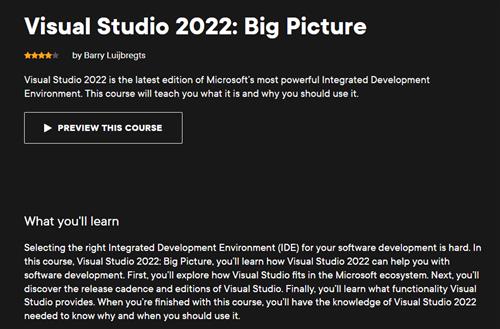
Barry Luijbregts - Visual Studio 2022: Big Picture
Duration: 27m | Video: .MP4, 1280x720 30 fps | Audio: AAC, 48 kHz, 2ch | Size: 56 MB
Genre: eLearning | Language: English
Video Training → Framed Ink 2 Frame Format, Energy, and Composition for Visual Storytellers by Marcos Mateu-Mestre
Published by: Minhchick on 7-04-2022, 10:27 | 0
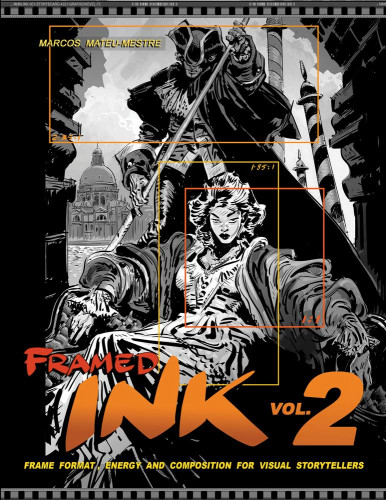
Framed Ink 2: Frame Format, Energy, and Composition for Visual Storytellers by Marcos Mateu-Mestre
English | Size: 240.9MB
Category: Tutorial
The highly anticipated follow-up to Framed Ink from Marcos Mateu-Mestre, Framed Ink 2 provides insight into another compositional tool that Marcos uses every day to create his amazing artwork--the energy within the working frame.
Video Training → Udemy - Learn with Me Visual Studio Code
Published by: voska89 on 5-04-2022, 05:23 | 0

Genre: eLearning | MP4 | Video: h264, 1280x720 | Audio: AAC, 44.1 KHz
Language: English | Size: 2.37 GB | Duration: 5h 23m
Video Training → Learn Visual Effects Techniques using Adobe Premiere 2022 CC
Published by: voska89 on 27-03-2022, 21:54 | 0
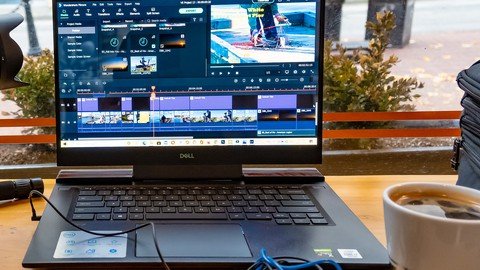
MP4 | Video: h264, 1280x720 | Audio: AAC, 44.1 KHz
Language: English | Size: 479 MB | Duration: 36m
learn vfx techniques in Premiere Pro 2022 and older versions
Software → Microsoft Visual Studio 2022 Enterprise / Professional v17.1.2 Multilingual
Published by: voska89 on 23-03-2022, 03:16 | 0
Microsoft Visual Studio 2022 Enterprise / Professional v17.1.2 Multilingual | Include Key Active | 28/27.7 GB
Visual Studio 2022 is the best Visual Studio ever. Our first 64-bit IDE makes it easier to work with even bigger projects and more complex workloads. The stuff you do every day-like typing code and switching branches-feels more fluid more responsive. And out-of-memory errors? They're about to be a distant memory.
Video Training → Linkedin Learning - Visual Storytelling in PowerPoint
Published by: Minhchick on 12-03-2022, 09:27 | 0
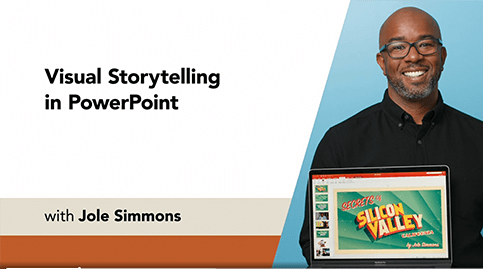
Linkedin Learning - Visual Storytelling in PowerPoint-XQZT
English | Size: 401.51 MB
Category: Tutorial
Learn how to bring your presentations to life with visual storytelling techniques in PowerPoint
Video Training → Udemy - Blender Visual Effects - Real World Meets CG
Published by: voska89 on 1-03-2022, 19:34 | 0

Genre: eLearning | MP4 | Video: h264, 1280x720 | Audio: AAC, 48.0 KHz
Language: English | Size: 1.67 GB | Duration: 2h 21m
Create your own Hollywood action scenes in Blender
Video Training → Linkedin - Visual Storytelling in PowerPoint
Published by: voska89 on 1-03-2022, 13:51 | 0

LinkedIn Learning
Duration: 55m 21s | .MP4 1280x720, 30 fps(r) | AAC, 48000 Hz, 2ch | 662 MB
Genre: eLearning | Language: English
Video Training → Kate Gregory - Advanced Debugging with Visual Studio 2019
Published by: voska89 on 1-03-2022, 13:34 | 0
Kate Gregory | Duration: 0h 38m | Video: H264 1280x720 | Audio: AAC 48 kHz 2ch | 104 MB | Language: English
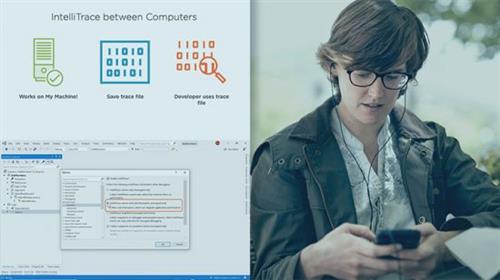
This course is for users of Visual Studio 2019 Enterprise Edition. It describes two powerful debugging tools available in only this edition: IntelliTrace and Code Map.
Have you ever been stepping through a program trying to reproduce a bug and looked right past it? Have you spent far too long trying to get an intermittent bug to happen? In this course, Advanced Debugging with Visual Studio 2019, you will learn about how IntelliTrace in Visual Studio 2019 Enterprise Edition enables Historical Debugging, which lets you go backward in a debugging session to examine the flow of control and the values of variables that caused a bad result, an exception to be thrown, or some other problem. First, you will discover how to use IntelliTrace for time travel debugging. Next, you will learn how to debug a bug that happened on another machine if a trace was collected. Finally, you will be given an introduction to Code Map, which lets you build a diagram of your system as you actually debug it. By the end of this course, you will understand the techniques on exploring relationships, spotting patterns that are not quite right, and explaining your code to others with Code Map.

