



Video Training → Design & Vectorize Turn Your Drawing into a Transparent Sticker
Published by: voska89 on 12-11-2022, 18:11 |  0
0
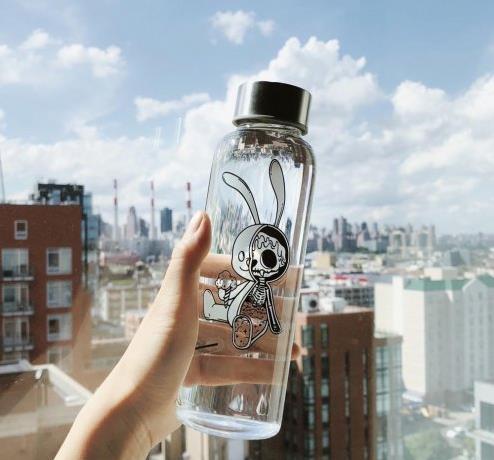
Design & Vectorize: Turn Your Drawing into a Transparent Sticker
File Name:Design & Vectorize: Turn Your Drawing into a Transparent StickerContent Source:https://www.skillshare.com/classes/Design-Vectorize-Turn-Your-Drawing-into-a-Transparent-Sticker/670382920
Genre / Category:Drawing & Painting , Art
File Size :183MB
Video Training → Vectorize your Drawings! From Procreate to Vector in Adobe Illustrator
Published by: voska89 on 23-07-2022, 07:00 | 0
Vectorize your Drawings! From Procreate to Vector in Adobe Illustrator
Home Page https://www.skillshare.com/classes/Vectorize-your-Drawings-From-Procreate-to-Vector-in-Adobe-Illustrator/154437419?via=search-layout-grid
Genre / Category:
Drawing and Painting & ArtFile Size :351MB
Clients love vector files! Yet drawing in Procreate is so effortless (and FUN!). This class documents my process from start to finish of starting with a Procreate drawing and converting it to a fully vector illustration, with the help of Adobe Photoshop and Illustrator. Here's what we do.
We start by properly setting up our Procreate fileNext, we DRAW!!Then we beam our Procreate file to our computerThere we'll quickly use Photoshop to export our layersImport those layers into Illustrator and image trace to turn them to vectorColor, tweak the layer order and you're done!A process that had previously taken me a minimum of an hour can now be accomplished in 10 minutes!There's even a bonus step for those who love using raster textures in your work!!
Video Training → Vectorize Your Art Using Image Trace in Adobe Illustrator on the iPad
Published by: voska89 on 24-12-2021, 07:17 | 0
Vectorize Your Art Using Image Trace in Adobe Illustrator on the iPad
File Size :593 MB | Genre / Category:Drawing & Painting
Home Page
https://www.skillshare.com/classes/Vectorize-Your-Art-Using-Image-Trace-in-Adobe-Illustrator-on-the-iPad/248523520
Why would you need to learn to rasterize images? Well, for one thing, vector graphics are infinitely scalable. Also, this would give you the power to create SVG graphics which are graphics used for anything from Cricut to CNC machines. Also, in the surface pattern design industry, these types of files are commonly requested. So why not choose to learn a little bit more about how to create these today? Illustrator on the iPad lets you convert raster images, or sketches (JPEG, PNG, PSD, and more) to vector art with the Vectorize (Image Trace) tool. You can place an image from your iPad on the artboard, or capture an image from the built-in camera, and convert it to a vector artwork which is fully editable.