



Graphics & Design → Twinmotion 2023.2 Win x64
Published by: voska89 on 4-12-2023, 13:40 |  0
0
Free Download Twinmotion 2023.2 | 15.3 Gb
Epic Games has unveiledTwinmotion 2023.2. This update adds UE5's groundbreaking dynamic global illumination system Lumen, Early Access support for importing animated files, Adobe Substance 3D material support, and much, much more.
Owner:Epic Games
Product Name:Twinmotion
Version:2023.2
Supported Architectures:x64
Website Home Page :
www.twinmotion.comLanguages Supported:english
System Requirements:Windows *
Size:15.3 Gb
Graphics & Design → Twinmotion 2022.2.3 Win x64
Published by: voska89 on 7-04-2023, 01:21 | 0
Free Download Twinmotion 2022.2.3 | 16.4 Gb
Epic Games has unveiled Twinmotion 2022.2.3, the hotfix release of its real-time visualisation software. The 2022.2 release is new features and enhancements across the board that both add practical new capabilities and improve the overall user experience.
Product:Twinmotion
Version:2022.2.3
Supported Architectures:x64
Website Home Page :www.twinmotion.com
Languages Supported:english
System Requirements:Windows *
Size:16.4 Gb
Video Training → Udemy - Twinmotion from beginner to intermediate
Published by: voska89 on 20-06-2022, 19:17 | 0

Published 06/2022
MP4 | Video: h264, 1280x720 | Audio: AAC, 44.1 KHz, 2 Ch
Genre: eLearning | Language: English + srt | Duration: 18 lectures (2h 31m) | Size: 2.3 GB
Create photorealistic image, video, panorama and VR presenter files easily with Twinmotion 2022.2 preview 1
Video Training → Twinmotion – 3d Architecture visualization beginner to intermediate level
Published by: voska89 on 12-06-2022, 17:33 | 0

Twinmotion – 3d Architecture visualization: beginner to intermediate level
Home Page https://www.skillshare.com/classes/Twinmotion-3d-Architecture-visualization-beginner-to-intermediate-level/1163575418
Genre / Category: 3D Tutorials
File Size :1.4GB
Product Details
Twinmotion is one of the most powerful 3d software out in the market for architectural visualization, powered by unreal engine. This course covers version 2022.2 preview 1. There are slight variations with the current version if you have compared it with previous versions.
Video Training → Twinmotion 2022 Masterclass - The complete guide to go from zero to Pro
Published by: voska89 on 7-06-2022, 09:50 | 0

Genre: eLearning | MP4 | Video: h264, 1280x720 | Audio: AAC, 48.0 KHz
Language: English | Size: 5.03 MB | Duration: 32 Lessons (5h 58m)
Video Training → Udemy - Twinmotion Real Time 3D Architecture Visualization
Published by: voska89 on 4-03-2022, 10:29 | 0
MP4 | Video: h264, 1280x720 | Audio: AAC, 44.1 KHz
Language: English | Size: 6.35 GB | Duration: 5h 47m
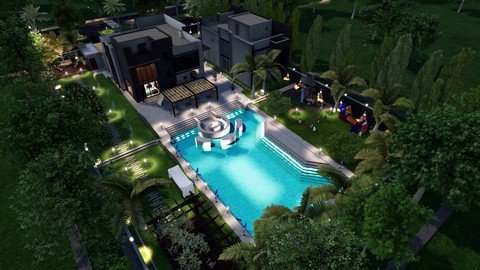
Create 3d images,videos.panoramas ,and VR for your projects fast and easy *updated with new features*
Video Training → Udemy - Twinmotion - 3D Architecture Visualization Zero to Pro
Published by: voska89 on 17-11-2021, 17:58 | 0
Genre: eLearning | MP4 | Video: h264, 1280x720 | Audio: AAC, 48.0 KHz
Language: English | Size: 10.1 GB | Duration: 10h 5m
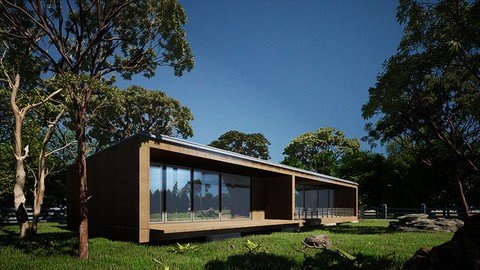
Create photorealistic image, video, panorama and VR presenter files easily with Twinmotion 2021
Video Training → Linkedin - SketchUp Pro Twinmotion Workflow
Published by: voska89 on 1-09-2021, 20:44 | 0

MP4 | Video: h264, 1280x720 | Audio: AAC, 44.1 KHz, 2 Ch
Skill Level: Intermediate | Genre: eLearning | Language: English + srt | Duration: 1h 25m | Size: 2.51 GB
Twinmotion is a real-time visualization tool for the AEC and product design world that enables photo-realistic renders for a variety of platforms. In this course, multidisciplinary designer Jonathan Racek shows you the workflow between Twinmotion and SketchUp Pro. Jonathan explains how Twinmotion can improve your workflow, then shows you how to get started with the Gizmo, the Scenegraph, and the Library. He steps through how to sync your SketchUp file and add materials and furniture in Twinmotion. Jonathan covers environments, including tools you can use to add vegetation and swap objects, then goes into weather functions, nighttime renders, and more. He concludes with useful information on how to export your images and animations and how to share your work with the Presenter tool.
Video Training → Linkedin - Revit Twinmotion Workflow
Published by: voska89 on 1-09-2021, 20:43 | 0

MP4 | Video: h264, 1280x720 | Audio: AAC, 44.1 KHz, 2 Ch
Skill Level: Intermediate | Genre: eLearning | Language: English + srt | Duration: 1h 22m | Size: 2.84 GB
Twinmotion is a real-time visualization tool for the AEC and product design world that enables photo-realistic renders for a variety of platforms. In this course, multidisciplinary designer Jonathan Racek shows you the workflow between Twinmotion and Revit. Jonathan explains how Twinmotion can improve your workflow, then shows you how to get started with the Gizmo, the Scenegraph, and the Library. He steps through how to sync your Revit file and add materials and furniture in Twinmotion. Jonathan covers environments, including tools you can use to add vegetation, then goes into weather functions, nighttime renders, and more. He concludes with useful information on how to export your images and animations and how to share your work with the Presenter tool.