



Video Training → Linkedin - Microsoft Data - SharePoint, Power Platform, Access, Excel
Published by: voska89 on 17-12-2021, 06:33 |  0
0

Duration: 1h 25m | .MP4 1280x720, 30 fps(r) | AAC, 48000 Hz, 2ch | 744 MB
Genre: eLearning | Language: English
Sometimes, people aren't sure which tool in Office 365 will be best for their data needs. This course offers you a data showdown for Microsoft applications. Senior-level learning and development professional Phil Gold dives into how data works in the various Microsoft applications and helps you understand how to choose the right application for your data needs. This includes exploring the Dataverse (more formally known as the Common Data Service) as well as how to move data among various Microsoft applications. After introducing the tools you can choose from, Phil goes over how to determine which application to use. Then he walks you through several common data tasks, including capturing data in Microsoft; building tables and performing a variety of functions in them; creating charts and graphs; and using add-ons. Plus, Phil gives you some useful recommendations and best practices to get the most out of the tool you choose.
Video Training → Udemy - The Complete Microsoft SharePoint MasterClass
Published by: voska89 on 11-12-2021, 00:03 | 0

Last Update: 10/2021
Duration: 6h 55m | Video: .MP4, 1280x720 30 fps | Audio: AAC, 44.1 kHz, 2ch | Size: 2.71 GB
Genre: eLearning | Language: English
Video Training → Udemy - SharePoint Online for Administrators
Published by: voska89 on 5-11-2021, 15:03 | 0

Created Jack Hyman | Last updated 10/2021
Duration: 4h 32m | 12 sections | 63 lectures | Video: 1280x720, 44 KHz | 2.121 GB
Genre: eLearning | Language: English + Sub
Video Training → Udemy - Microsoft Productivity Bundle (SharePoint, OneNote, Teams!)
Published by: voska89 on 26-10-2021, 19:51 | 0
Genre: eLearning | MP4 | Video: h264, 1280x720 | Audio: AAC, 44.1 KHz
Language: English | Size: 7.31 GB | Duration: 19h 34m
Learn OneNote, Teams, Power Automate, SharePoint Online to improve your productivity and boss your day
Video Training → Microsoft Productivity Bundle (SharePoint, OneNote, Teams!) part05
Published by: ad-team on 23-10-2021, 18:13 | 0
Microsoft Productivity Bundle (SharePoint, OneNote, Teams!)
Video Training → Udemy - The Complete Guide to Microsoft SharePoint Online
Published by: voska89 on 17-09-2021, 08:13 | 0
Genre: eLearning | MP4 | Video: h264, 1280x720 | Audio: AAC, 48.0 KHz
Language: English | Size: 5.41 GB | Duration: 14h 53m
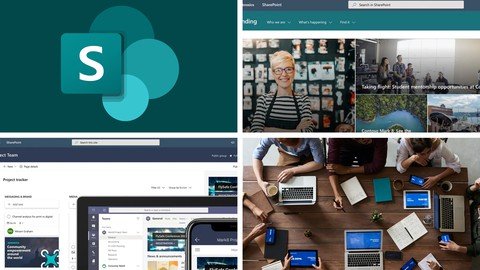
Develop Team Sites using Office 365 SharePoint Online, with the only complete beginner to expert guide | 15+ hours
Video Training → Linkedin Learning - Using Microsoft SharePoint Syntex for AI Document Management
Published by: Minhchick on 23-08-2021, 19:19 | 0

Linkedin Learning - Using Microsoft SharePoint Syntex for AI Document Management-XQZT
English | Size: 234.05 MB
Category: Tutorial
Learn to build an AI-driven document recognition system for Microsoft SharePoint
Video Training → Linkedin - Using Microsoft SharePoint Syntex for AI Document Management
Published by: voska89 on 23-07-2021, 09:40 | 0

MP4 | Video: h264, 1280x720 | Audio: AAC, 44.1 KHz, 2 Ch
Skill Level: Intermediate | Genre: eLearning | Language: English + srt | Duration: 1h 30m | Size: 197 MB
SharePoint Syntex is a new tool that uses AI to extract information from documents and forms in SharePoint libraries. For example, you could import hundreds of contracts and have SharePoint automatically recognize the participants in the contracts and contract amounts, or you could pull totals from a set of invoices and add that information directly into a SharePoint library column. In this course, instructor Phil Gold walks through using the Syntex AI to train models to identify types of documents and forms and to define the specific information you want to capture. After defining some basic concepts and best practices, Phil steps through setting up Syntex and creating document-understanding models and form-processing models. He shows how to build classifiers and extractors for documents, create and label collections of similar forms, and add your models to your SharePoint libraries to automatically capture data previously available only through time-consuming manual labor.

