



Video Training → Udemy - Revit Structure 2021-2022 from Zero to Hero
Published by: voska89 on 15-09-2021, 19:16 |  0
0

Genre: eLearning | MP4 | Video: h264, 1280x720 | Audio: AAC, 44.1 KHz
Language: English | Size: 8.5 GB | Duration: 14h 46m
Covering essentials, intermediate, and advanced features of Revit Structure 2021-2022
Video Training → Udemy - Revit Rendering from beginning to Pro
Published by: voska89 on 6-09-2021, 01:38 | 0

Genre: eLearning | MP4 | Video: h264, 1280x720 | Audio: AAC, 44.1 KHz
Language: English | Size: 2.01 GB | Duration: 2h 42m
Master the Revit Rendering
Video Training → Udemy - Learn Revit Structures from Industry Expert TedX Speaker
Published by: voska89 on 1-09-2021, 20:58 | 0

MP4 | Video: h264, 1280x720 | Audio: AAC, 44.1 KHz, 2 Ch
Genre: eLearning | Language: English + srt | Duration: 48 lectures (8h 38m) | Size: 3.93 GB
Learn Revit Structures Software to express your Structural Engineering Designs
Video Training → Udemy - Dynamo For Revit Structure - Essentials [EN]
Published by: voska89 on 1-09-2021, 20:54 | 0
![Udemy - Dynamo For Revit Structure - Essentials [EN]](https://i115.fastpic.org/big/2021/0901/bd/e6ef943c92331aded6c33d2e8cf7c7bd.jpeg "Udemy - Dynamo For Revit Structure - Essentials [EN]")
MP4 | Video: h264, 1280x720 | Audio: AAC, 44.1 KHz, 2 Ch
Genre: eLearning | Language: English + srt | Duration: 56 lectures (12h 54m) | Size: 7.65 GB
Learn Dynamo from scratch and automate your daily tasks
Video Training → Linkedin - Revit Twinmotion Workflow
Published by: voska89 on 1-09-2021, 20:43 | 0

MP4 | Video: h264, 1280x720 | Audio: AAC, 44.1 KHz, 2 Ch
Skill Level: Intermediate | Genre: eLearning | Language: English + srt | Duration: 1h 22m | Size: 2.84 GB
Twinmotion is a real-time visualization tool for the AEC and product design world that enables photo-realistic renders for a variety of platforms. In this course, multidisciplinary designer Jonathan Racek shows you the workflow between Twinmotion and Revit. Jonathan explains how Twinmotion can improve your workflow, then shows you how to get started with the Gizmo, the Scenegraph, and the Library. He steps through how to sync your Revit file and add materials and furniture in Twinmotion. Jonathan covers environments, including tools you can use to add vegetation, then goes into weather functions, nighttime renders, and more. He concludes with useful information on how to export your images and animations and how to share your work with the Presenter tool.
Video Training → Udemy - Revit 2022 Professional Revit Course
Published by: voska89 on 29-08-2021, 07:30 | 0

Genre: eLearning | MP4 | Video: h264, 1280x720 | Audio: AAC, 48.0 KHz
Language: English | Size: 8.07 GB | Duration: 12h 16m
Revit : Mastering the Revit from Beginning to Pro
Video Training → Udemy - Revit Templates - A Masterclass
Published by: voska89 on 24-08-2021, 10:49 | 0
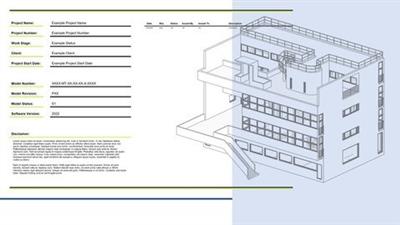
MP4 | Video: h264, 1280x720 | Audio: AAC, 44.1 KHz
Language: English | Size: 2.47 GB | Duration: 5h 5m
What you'll learn
Video Training → Udemy - Mastering Revit Schedules 2021 (+ Dynamo)
Published by: voska89 on 24-08-2021, 10:47 | 0
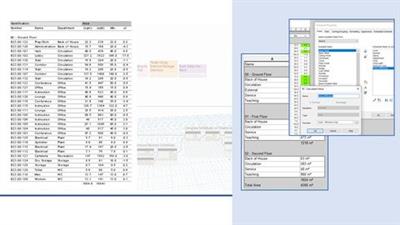
MP4 | Video: h264, 1280x720 | Audio: AAC, 44.1 KHz
Language: English | Size: 2.91 GB | Duration: 3h 49m
What you'll learn
Video Training → Linkedin - Creating Concrete Buildings with Revit Structure
Published by: voska89 on 5-08-2021, 23:04 | 0
MP4 | Video: h264, 1280x720 | Audio: AAC, 44.1 KHz, 2 Ch
Skill Level: Intermediate | Genre: eLearning | Language: English + srt | Duration: 1h 59m | Size: 563.1 MB
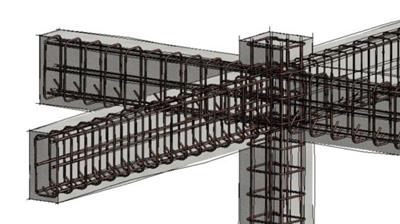
Learn how to design concrete buildings that stand the test of time with Revit Structure. In this course, Eric Wing takes you through the process step by step, starting with laying out levels and a structural grid. Then he shows you how to add concrete columns and foundational elements like piers, pilasters, footings, and retaining walls, and add concrete framing and slabs. And of course, no concrete structure is complete without reinforcing: the final chapter guides you through the ins and outs of placing rebar perpendicular to a wall face, as well as area reinforcing and freely sketching rebar and selecting ties from the Rebar Shape Browser.
Video Training → Revit Remote Collaboration with BIM Collaborate Pro
Published by: voska89 on 1-07-2021, 13:58 | 0
MP4 | Video: h264, 1280x720 | Audio: AAC, 44.1 KHz, 2 Ch
Skill Level: Intermediate | Genre: eLearning | Language: English + srt | Duration: 2h 42m | Size: 482.6 MB
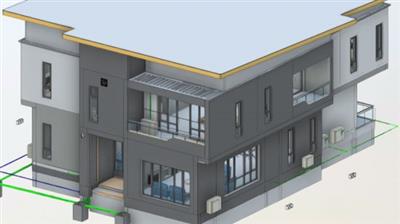
As teams have become more remote and global, the need for remote collaborative design in the built sector has increased. Revit is a multidisciplinary BIM software that allows multiple professionals and disciplines to collaborate in real-time. With the addition of BIM Collaborate Pro, collaboration can go remote and be expanded across the globe, going well beyond a corporate LAN or intranet. In this course, instructor Onyema Udeze explains the importance of a Common Data Environment (CDE) such as Autodesk Construction Cloud and how it can make your projects more efficient. Onyema shows you how to communicate with remote teams through a work-shared Revit model and goes over the important role that Autodesk Connector plays in managing remote collaboration through Revit. He covers how non-technical stakeholders on a project can make their inputs in the cloud through the Change/Information Management and Model Coordination features of BIM Collaborate Pro.

