



Video Training → Photo Study Technique
Published by: Minhchick on 3-07-2021, 19:20 |  0
0

Photo Study Technique
English | Size: 5.1GB
Category: Tutorial
This video covers the steps of painting with a photo reference focusing in value, composition and brush economy.
For MacOSX → ON1 Photo RAW 2021.5 v15.5.1.10737 Multilingual macOS
Published by: voska89 on 3-07-2021, 13:59 | 0

ON1 Photo RAW 2021.5 v15.5.1.10737 Multilingual | macOS | 2 Gb
This professional-grade photo organizer, raw processor, layered editor, and effects app, includes everything you need in one photography application. The newest features include AI-powered features AI Match and AI Auto, four filters in Effects (Weather, Sun Flare, Color Balance, Channel Mixer), improved decoding of raw files
Graphics & Design → ON1 Photo RAW 2021.5 v15.5.1.10737 (x64) Multilingual
Published by: voska89 on 3-07-2021, 11:29 | 0
ON1 Photo RAW 2021.5 v15.5.1.10737 (x64) Multilingual | 1.58 GB
ON1 Photo RAW version 2021 is THE professional-grade photo organizer, raw processor, layered editor, and effects app. It works where you do; at the center of your workflow or as a plug-in to Adobe Photoshop, Lightroom, Elements, Affinity Photo, Corel Paintshop Pro, and Capture One (coming soon).
What do you photograph?
ON1 Photo RAW 2021 provides the primary photo editing needs for every photographer regardless of what they shoot - without having to bounce between multiple pieces of software. Get the professional photo editing tools you need for the professional results you need while keeping your workflow efficient, powerful, and simple.
Power & Speed
At its core, ON1 Photo RAW includes a state-of-the-art image processing engine. Optimized for today's super-megapixel cameras and high-performance computer graphics systems, Photo RAW is the world's fastest, most flexible, and easiest-to-use photo editor on the market.
Unlimited Creativity
Creators want to create and not spend all of their time learning how to use editing tools. Photo RAW is like having Lightroom & Photoshop under one roof. It comes with the tools you need for compositing, hundreds of the hottest presets and filters built-in, and world-class masking tools to make your life easy.
Control of Your Photography
ON1 Photo RAW gives you an open system for complete control over your storage, organization, editing, and method of purchase. No long importing, easy organization, unlimited ways to dial in your style, and ON1 will also never be a subscription-only model.
Plug-in to Your Workflow
ON1 Portrait AI is the perfect fit for almost any workflow. Get amazing retouching results in seconds when using ON1 Portrait AI as a plug-in for:
- Adobe Photoshop
- Adobe Lightroom Classic
- Adobe Photoshop Elements
- Affinity Photo
- Capture One (coming soon)
- Apple Photos
- Corel Paintshop Pro
New Features in ON1 Photo RAW 2021:
- Quickly Add Clouds to Your Dull Skies
- Retouch an Entire Portrait Shoot Automatically
- Create Stunning Sunsets in Seconds
- View Your Photos in All of Their Beauty
- Refresh Smiles in a Few Simple Clicks
- Selectively Edit Like Never Before Using Color Selection
- A Better Way to Erase Away Unwanted Distractions
- Find Your Duplicate Photos in Seconds
- Easily Change Colors of Objects in Your Photos
- Quickly Find All Photos from Your Favorite Location
- Make the Eyes Pop in Seconds
- The Best Photoshop Plugin for Editing Portraits
- Presenting Photos for Your Clients
Feature List:
New ON1 Portrait AI
Flawless retouching is just a click away with the new Portrait AI tab inside of Edit. It uses machine learning to find every face in your photo and make them look great, automatically. It analyzes each face and adds just the right amount of retouching to the skin, eyes, and mouth, giving you professional results in no time at all.
New Smart Organize
The New Smart Organize mode in Browse lets you take control over your cluttered photo archive. Not only can it find duplicates, but it can find and group photos that have similar appearance, location or time. It can help you cull your library to find just the best photos in a series.
New Spot Healing Brush
A new modern approach to removing distractions like dust spots, power-lines and unwanted people from your photos. The Spot Healing Brush is not only faster than current tools, it maintains full non-destructive adjustments for each spot you remove.
New Custom Brush Shapes
Brushing has taken a quantum-leap in control and creativity. Now you can choose from a variety of custom brush shapes or even import your own.
New Plug-in Support for Affinity Photo and Corel PaintShop Pro
Now you can extend your workflow in Affinity Photo and Corel PaintShop Pro by access Develop, Effects, and Portrait right inside the apps you use. Capture One support coming soon!
New Quick Slideshow
Need to quickly show a client their photos? With the Quick Slideshow you are only a click away from a full-screen slideshow complete with user adjustable delay and an elegant dissolve transition.
New Camera Based Presets
Now you can automatically apply a preset to any new photos from a specific camera. If you always find yourself making the same adjustments, just make a preset and apply it automatically to photos from that camera. This is super handy if you have created a custom camera profile or if you have converted a camera to infrared.
New Color-Sensitive Gradient Masks
Everyone knows how powerful the gradient mask tool is. You can quickly create straight, reflected or round radiant masks that are re-editable and blendable with brush masks. Now you can combine the color-sensitive power we created for the Perfect Brush with the gradient masks. When enabled, it detects the color under the gradient and applies the mask to only that adjustable color range. It makes it a breeze to mask areas like skies while maintaining things like buildings or trees that go into the sky.
New Batch HDR and Pano
Save time by batch processing your HDR brackets or panoramas. Simply organize your brackets into sub-folders, then let Browse build your new HDR and panos for you. This is a life-saver for real estate shooters.
New User Interface Improvements
We have taken a measured approach to updating the user interface. Based on user feedback we have improved common controls like sliders to have more precision and a longer area for labels so we can be more descriptive. We have also made sure that Layers and the Edit module tabs don't scroll out of view on a small display or when you have a large stack of filters.
New Color Fill Layers
We have brought back color fill layers to the Layers pane. They are a great way to set a background color for a composite layout. They are also handy when used with the new custom brush shapes for painting in objects like grass, trees, and clouds.
New Replace Color Filter
Easily change the color of an object to any new color. It's perfect for tweaking or totally changing the color of eyes, flowers, buildings, and apparel.
System Requirements:
- Windows 10 (current maintenance releases, 64-bit only)
- Processor: Intel Core i5, Xeon, or better
- RAM: 16+ GB
- Disk: 1.5 GB for installation, SSD
- Display: OpenGL 4.2-compatible video card with 2GB dedicated video RAM, 1920x1080 resolution (at 100% scale factor)
Optional Application Integration:
- Photoshop CC 2020
- Photoshop Elements 2020
- Photoshop Lightroom Classic CC 2020
- Affinity Photo
- Corel PaintShop Pro
Supported Languages:
- English, German, Spanish, French, Japanese, Korean, Simplified Chinese, Russian, Portuguese, Italian, Dutch
Home Page-
https://www.on1.com/Buy Premium From My Links To Get Resumable Support,Max Speed & Support Me

https://uploadgig.com/file/download/8D480794d1116c71/5a2a0.ON1.Photo.RAW.2021.5.v15.5.1.10737.x64.Multilingual.rar

https://rapidgator.net/file/2b67be88cff8961f3f3bfe5895ee7e49/5a2a0.ON1.Photo.RAW.2021.5.v15.5.1.10737.x64.Multilingual.rar.html

http://nitroflare.com/view/E505E03E5980C00/5a2a0.ON1.Photo.RAW.2021.5.v15.5.1.10737.x64.Multilingual.rar
Links are Interchangeable - No Password - Single Extraction
Portable → ON1 Photo RAW 2021.5 v15.5.1.10737 (x64) Portable
Published by: voska89 on 3-07-2021, 11:29 | 0
ON1 Photo RAW 2021.5 v15.5.1.10737 (x64) Multilingual Portable | 1.44 GB
ON1 Photo RAW version 2021 is THE professional-grade photo organizer, raw processor, layered editor, and effects app. It works where you do; at the center of your workflow or as a plug-in to Adobe Photoshop, Lightroom, Elements, Affinity Photo, Corel Paintshop Pro, and Capture One (coming soon).
Video Training → Skillshare - Lightroom Photo Color Editing
Published by: voska89 on 30-06-2021, 18:40 | 0

Duration: 22m | Video: .MP4 1280x720, 30 fps(r) | Audio: AAC, 48000 Hz, 2ch | Size: 142 MB
Genre: eLearning | Language: English
In this class, you'll need a computer/laptop ( maybe also a wacom tablet ) which is powerful enough to run Lightroom software. You'll also need to download the {Adobe Photoshop Lightroom Classic} for this class.
Video Training → Intro to Affinity Photo on iPad Making a Photo Composition
Published by: voska89 on 28-06-2021, 18:30 | 0
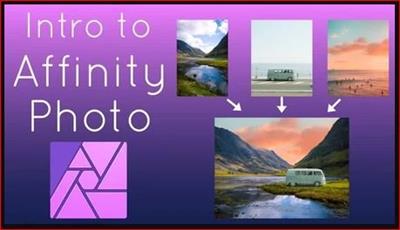
MP4 | Video: h264, 1280x720 | Audio: AAC, 48000 Hz
Language: English | Size: 496 MB | Duration: 35m
In this class we will be learning the basics of Affinity Photo on iPad by creating a photo composition. A composition is just compositing different elements together to make one piece of art or design. For our composition we will be combining different photos together. Throughout this course you will learn how Affinity Photo is set up, how to use basic tools and studios in the Photo and Selection personas.
Portable → Photo Pos Pro 3.72 Build 25 Premium Edition + Portable
Published by: voska89 on 11-06-2021, 00:41 | 0

Photo Pos Pro 3.72 Build 25 Premium Edition + Portable | 69.7/49 Mb
With +10,000,000 Downloads, Photo Pos Pro became one of the most popular photo editors around the world! Version 3 has free and premium photo editing features offers users a wide variety of possibilities in the fields of Image Enhancing and Image Editing and in the field of Computer Graphics Design. Using the editor you can perform various tasks, from simple basic tasks to complex tasks; you can edit existing images, create new works based on existing images, create new works from scratch and more.
Portable → StudioLine Photo Pro 4.2.64 Multilanguage Portable
Published by: BaDshaH on 8-06-2021, 14:11 | 0
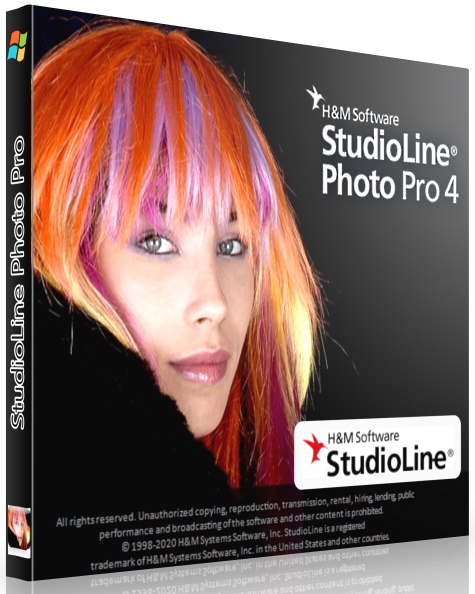
File Size: 113.8 MB
StudioLine Photo Pro 4 is the highly effective software for the professional editing and management of large image collections in server-based networks. Of course, the RAW formats from all popular camera models are supported.
Software → ThunderSoft Photo Gallery Creator v3.4.0
Published by: BaDshaH on 7-06-2021, 14:00 | 0
File size: 28.3 MB
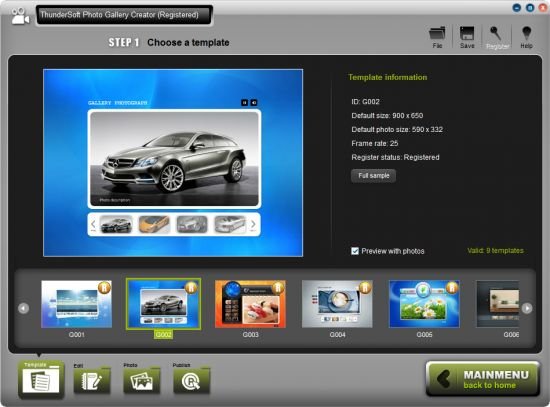
ThunderSoft Photo Gallery Creator is one of the best software to create interactive photo gallery. Provide pre designed professional templates and 70+ transition effects. For the output, you can publish as video file or html5 video embed to your webpage, and also executable, screen saver and swf file. With this software, it is easy to create photo gallery for both personal and commercial use.
Portable → InPixio Photo Studio Ultimate 11.0.7753.22643 (x64) Portable
Published by: BaDshaH on 7-06-2021, 11:10 | 0
Languages: Multilingual | File Size: 2.3 GB
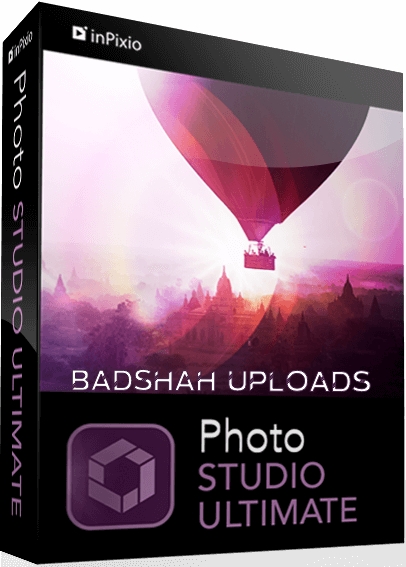
Photo Studio 10 Ultimate delivers professional photo editing & photo organizing features, spectacular special effects and professional-quality photo projects - all together in one powerful editing suite. Photo Studio 10 Ultimate makes it easier than ever to unlock the power of your digital camera.

