



Video Training → Linux Redhat Administration III - Automation Ansible RHEL8
Published by: voska89 on 27-12-2021, 12:08 |  0
0
MP4 | Video: h264, 1280x720 | Audio: AAC, 44.1 KHz, 2 Ch
Genre: eLearning | Language: English + srt | Duration: 87 lectures (9h) | Size: 1.41 GB
Prepare for Linux Exam-294 Ansible with valid Exam Questions with Explanation
Portable → Hetman Linux Recovery 1.9 Multilingual Portable
Published by: voska89 on 26-12-2021, 12:08 | 0
Hetman Linux Recovery 1.9 Multilingual Portable | 45.6 Mb
This is the utility developed specially to recover data from volumes with Ext2/3/4, ReiserFS, XFS, UFS file systems. Surprisingly, but formatting a disk, removing partitions or emptying the Recycle Bin doesn't delete information permanently, and it can be restored with Linux Recovery™. This program supports hard disks and solid-state drives, memory cards and USB pen drives, which makes it a versatile solution in the field of data security.
For MacOSX → DB Solo 5.3.1 (macOS/Linux)
Published by: voska89 on 25-12-2021, 00:15 | 0
DB Solo 5.3.1 (macOS / Linux) | 88.1 MB / 55 MB
DB Solo - The SQL Query Tool is a powerful yet affordable cross-platform database development and management tool for both developers and DBAs. With its rich feature set, it is comparable to tools that are orders of magnitude more expensive. DB Solo has an intuitive user interface that allows you to explore and manage your database objects as well as execute your own ad-hoc SQL queries. DB Solo supports most major operating systems and DBMS products available today.
Software → Master PDF Editor 5.8.20 Multilingual Linux
Published by: voska89 on 25-12-2021, 00:10 | 0

Master PDF Editor 5.8.20 Multilingual Linux | 26.3 MB
Languages: English, العربية, Հայերէն, Български, Català, 中文, Čeština, Dansk, Nederlands, زبان فارسی, Suomi, Français, Galego, Deutsch, Ελληνικά, עברית, Magyar, Gaeilge, Italiano, 日本語, 한국어, Latviešu valoda, Lietuvių kalba, Norsk, Polski, Português, Português do Brasil, Română, Русский, Српски, Slovenčina, Slovenščina, Español, Svenska, ภาษาไทย, Türkçe, Українська, tiếng Việt, Valencià
Video Training → FrontendMasters - Complete Intro to Linux and the Command-Line
Published by: Minhchick on 24-12-2021, 07:37 | 0

FrontendMasters - Complete Intro to Linux and the Command-Line
English | Size: 1.92 GB
Category: Programming | E-learning | Linux
Command-line skills are essential for modern developers.
Video Training → Udemy - Automate Linux SysAdmin tasks with Ansible in 50+ examples
Published by: voska89 on 23-12-2021, 08:36 | 0
Genre: eLearning | MP4 | Video: h264, 1280x720 | Audio: AAC, 44.1 KHz
Language: English | Size: 2.25 GB | Duration: 7h 24m
Automate the most common System Administrator tasks in Linux with some real-life examples Ansible Playbook
Video Training → Unofficial - Linux Redhat Certified Administrator (RHCSA 8) | Udemy
Published by: Minhchick on 23-12-2021, 06:20 | 0
Unofficial - Linux Redhat Certified Administrator (RHCSA 8) | Udemy
English | Size: 6.52 GB
Category: Tutorial
Best match for those who want to become Red Hat certified system administrator (RHCSA) in shortest amount of time
Software → Hetman Linux Recovery 1.9 Multilingual
Published by: voska89 on 22-12-2021, 16:05 | 0
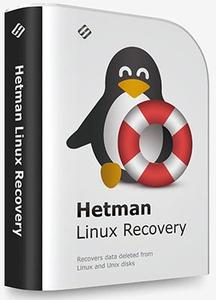
Hetman Linux Recovery 1.9 Multilingual | 54.77 Mb
This is the utility developed specially to recover data from volumes with Ext2/3/4, ReiserFS, XFS, UFS file systems. Surprisingly, but formatting a disk, removing partitions or emptying the Recycle Bin doesn't delete information permanently, and it can be restored with Linux Recovery™. This program supports hard disks and solid-state drives, memory cards and USB pen drives, which makes it a versatile solution in the field of data security.
The algorithm of the program extracts the data lost after formatting or partitioning a storage device with commands rm, fdisk, mkfs. Linux Recovery™ is only available for Windows, that is why you need to connect the disk to a Windows computer in order to access your data.
Video Training → Linkedin - Learning Linux Command Line (2021)
Published by: voska89 on 22-12-2021, 03:36 | 0

MP4 | Video: h264, 1280x720 | Audio: AAC, 44.1 KHz, 2 Ch
Skill Level: Beginner | Genre: eLearning | Language: English + srt | Duration: 2h 54m | Size: 378.4 MB
Knowledge of the Linux command line is critical for anyone who uses this open-source operating system. For many tasks, it's more efficient and flexible than a graphical environment. For administrators, it plays a vital role in configuring permissions and working with files. In this course, experienced instructor Scott Simpson discusses the basics of setting up your environment and working with the Linux command line using the Bash shell. He focuses on practical Linux commands with examples that help you navigate through the file and folder structure, edit text, and set permissions. Scott also discusses some of the common command-line tools, such as grep, awk, and sed, and command-line apps such as the nano and Vim text editors. He covers output redirection and the PATH variable, then gives you a peek into more advanced topics. The course wraps up with a look at how to install and update software with a package manager.
Video Training → Coursera - Linux Tools for Developers
Published by: voska89 on 22-12-2021, 03:35 | 0
https://i116.fastpic.org/big/2021/1222/51/d61d39fc9edefe216ea2d7b403ff5251.jpegMP4 | Video: H264, 960x540 | Audio: AAC 44.1 KHz | Duration: 24 lectures (1.05h) | 104 MB
Genre: eLearning | Language: English + srt
Course will focus on teaching you how to work with tools you need to do your everyday work. The course begins by introducing you to numerous essential command line tools that are used daily. Then, it focuses on bash scripting - you will learn how to construct scripts and how to do very complicated tasks in an automated way. The course looks at files and filesystems and focuses on compiling programs in Linux, using gcc and other compilers, and using libraries of different types. It also takes a look at how Java works in Linux, and explains why there is no reason to worry about having easy-to-use Java programs in Linux. Course 3 ends by covering building packages out of software in Linux.
https://www.coursera.org/learn/linux-tools-for-developers
[center]
Buy Premium From My Links To Get Resumable Support,Max Speed & Support Me



Links are Interchangeable - No Password - Single Extraction

