



Video Training → PluralSight - Microsoft Endpoint Manager - Introduction and Lab Preparation
Published by: ad-team on 30-10-2021, 17:25 |  0
0

Microsoft Endpoint Manager: Introduction and Lab Preparation
Video Training → Microsoft Endpoint Manager - Device Configuration and Endpoint Protection with Intune
Published by: ad-team on 28-10-2021, 20:57 | 0

Microsoft Endpoint Manager: Device Configuration and Endpoint Protection with Intune
Video Training → Microsoft Endpoint Manager Device Configuration and Endpoint Protection with MECM
Published by: voska89 on 27-10-2021, 23:25 | 0
Duration: 57m | Video: .MP4 1280x720, 30 fps(r) | Audio: AAC, 48000 Hz, 2ch | Size: 148 MB
Level: Intermediate | Genre: eLearning | Language: English
Understand the device configuration and endpoint protection features that you should - and shouldn't - implement via MECM in this course.Although MECM has lived a longer lifecycle than Intune, along with that long history comes a few legacy approaches to performing certain tasks. This course on device configuration may seem a little strange, because significant portions of the course are all about tasks that you ... shouldn't ... do in Configuration Manager. For many of today's device configuration and endpoint protection activities, Microsoft Intune simply offers a far superior solution. That said though, understanding where these configurations exist in MECM, and which ones you should enable versus those you can safely ignore is the mission for this course.
Video Training → Microsoft Endpoint Manager Deploy Applications with Intune
Published by: voska89 on 27-10-2021, 23:24 | 0
Duration: 1h 11m | Video: .MP4 1280x720, 30 fps(r) | Audio: AAC, 48000 Hz, 2ch | Size: 170 MB
Level: Intermediate | Genre: eLearning | Language: English
Explore the click-by-click interactions with the Intune admin UI in deploying applications. and then monitoring and troubleshooting their deployment, in this course.
Video Training → Microsoft Endpoint Manager Package Software for Deployment with MECM and Intune
Published by: voska89 on 26-10-2021, 19:13 | 0
Greg Shields | Duration: 1:02 h | Video: H264 1280x720 | Audio: AAC 48 kHz 2ch | 128 MB | Language: English + SUB
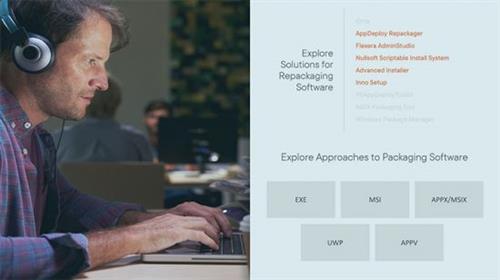
Step away from MECM and Intune as you explore the art and science of software packaging in this course.
At exactly the midpoint of this learning path, we have completed the steps necessary to build both an Intune and MECM environment, including their integration together. The second half of this learning path turns its attentions to actually using this environment. It begins with this course, which explores the tactics and techniques in software packaging -- all of which are needed to be successful in deploying software to devices via either half of Microsoft Endpoint Manager.
Video Training → Microsoft Endpoint Manager Inventory, QueriesCollections, and CMPivot with MECM
Published by: voska89 on 26-10-2021, 19:13 | 0
Greg Shields | Duration: 2:13 h | Video: H264 1280x720 | Audio: AAC 48 kHz 2ch | 392 MB | Language: English + SUB
Explore the data collection and presentation side of Configuration Manager in this course as you customize hardware and software inventory, create queries and collections, and get to know the CMPivot tool.
The previous course finishes most of the foundational configurations to get an MECM primary site operational. But one final preparation involves the settings required to configure and customize hardware and software inventory collection. Enabling this data collection delivers access to an impressive range of machine characteristics. Understanding both the art and the science of then querying that data is arguably the most important and the most difficult part of the job.
Video Training → Microsoft Endpoint Manager Intune Co-management with Cloud Attach
Published by: voska89 on 26-10-2021, 19:13 | 0
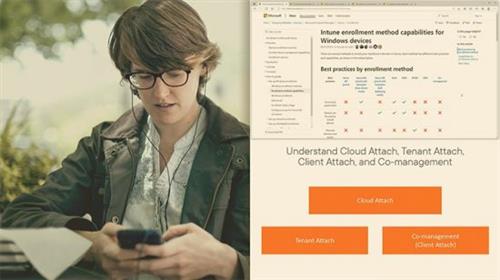
Greg Shields | Duration: 2:15 h | Video: H264 1280x720 | Audio: AAC 48 kHz 2ch | 341 MB | Language: English + SUB
Integrate Intune with MECM via Cloud Attach and Co-management, configure Tenant Attach and Client Attach, get introduced to Endpoint Analytics, and explore enrolling devices into Intune in this course.
Seven courses in, and this learning path finally gets around to the Microsoft Endpoint Manager integration between MECM and Intune. Delaying this topic to nearly the midpoint in the learning path was intentional, as the setup processes for MECM are so complex in nature. What results from their co-management interconnection is the ability to select which workload accomplishes each major category of activities.
Video Training → Microsoft Endpoint Manager Introduction and Lab Preparation
Published by: voska89 on 26-10-2021, 19:12 | 0
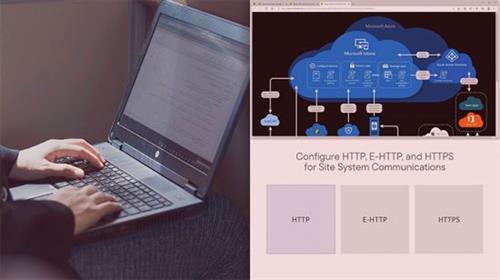
Greg Shields | Duration: 1:18 h | Video: H264 1280x720 | Audio: AAC 48 kHz 2ch | 137 MB | Language: English
Get introduced to Microsoft Endpoint Manager (MEM), including Microsoft Endpoint Configuration Manager (MECM) and Microsoft Intune in this course.
Whether you're new to Microsoft Endpoint Manager, or have worked with it's many versions, you're surely aware of how complex any MEM implementation can be. The reach of this solution is so broad, and also so deep, that you almost have to know everything about MEM to truly appreciate anything about it.
Video Training → Microsoft Endpoint Manager Deploy an On-premises MECM Site
Published by: voska89 on 26-10-2021, 19:12 | 0
Greg Shields | Duration: 1:57 h | Video: H264 1280x720 | Audio: AAC 48 kHz 2ch | 290 MB | Language: English + SUB
Walk through the design, installation, and initial configuration of a Microsoft Endpoint Configuration Manager (MECM) primary site in this course.
The central core of an MECM hierarchy is the site, and for a lot of environments it's the primary site. That site is the boundary of administration for all the devices, machines, and software that needs configuration control.
Video Training → Microsoft Endpoint Manager Deploy MECM Clients
Published by: voska89 on 26-10-2021, 19:11 | 0
Greg Shields | Duration: 0:59 h | Video: H264 1280x720 | Audio: AAC 48 kHz 2ch | 167 MB | Language: English + SUB
Learn the best ways to prepare for, deploy clients, and monitor client health in this course.
With a primary site and site server now installed, this course turns the attention to MECM's clients. While MECM is a great solution for deploying software, there is as you might imagine some client-side bootstrapping that's required to install clients and begin communication. MECM supports at least six different ways to deploy client software, as well as innumerable ways to customize client behaviors once installed.

