



Video Training → Phlearn Pro - Advanced Cutouts in Photoshop - Aaron Nace
Published by: Minhchick on 10-11-2022, 17:08 |  0
0

Phlearn Pro - Advanced Cutouts in Photoshop - Aaron Nace
English | Tutorial | Size: 1.7GB
While continuing with the skills learned in both Simple and Intermediate Cutouts in Photoshop,
Video Training → Phlearn - Simple Cutouts in Photoshop with Aaron Nace
Published by: voska89 on 27-10-2021, 23:25 | 0

Duration: 2.25h | Video: .MP4 1920x1080 , 30 fps(r) | Audio: AAC, 44100 Hz, 2ch | Size: 2.31 GB
Genre: eLearning | Language: English
Follow along as we show you the basics of making accurate cutouts, selections, and masks in Photoshop. Learn how to cut out subjects in front of relatively simple backgrounds, recover and recreate fine details in hair, and fix common issues like color fringing.
Video Training → Phlearn - Intermediate Cutouts in Photoshop
Published by: voska89 on 24-09-2021, 05:19 | 0
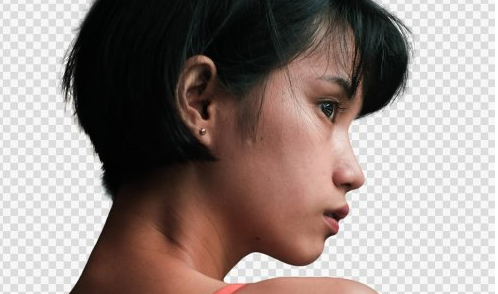
Phlearn - Intermediate Cutouts in Photoshop
File Size :1.7GB | Genre: eLearning | Language: English | Photoshop | MP4
With enough practice, cutting people out of relatively simple backgrounds can be a breeze. But what about when the backgrounds are more complicated? Or the backgrounds are a similar color to the subject's hair and clothing?
In Intermediate Cutouts in Photoshop, we explore the tools and techniques to get beautiful, accurate cutouts of people. Learn how to cut people out of complex backgrounds, fix issues like color fringing, and even recreate lost details in hair using custom brushes and some compositing magic.
Video Training → Phlearn - Simple Cutouts in Photoshop
Published by: voska89 on 21-09-2021, 01:16 | 0
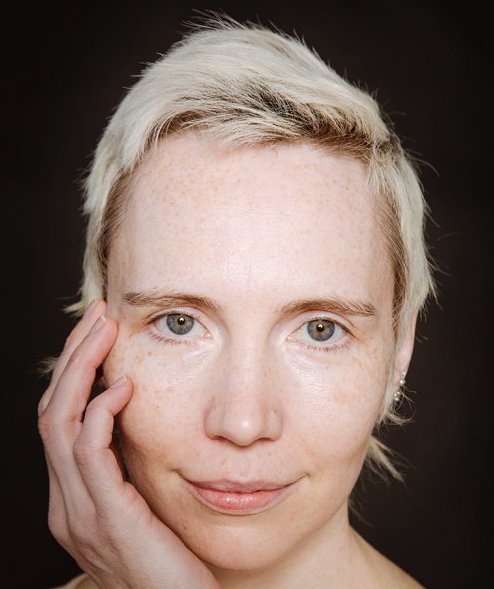
Phlearn - Simple Cutouts in Photoshop
File Size :2.3GB | Genre: eLearning | Language: English | Photoshop | MP4
Follow along as we show you the basics of making accurate cutouts, selections, and masks in Photoshop. Learn how to cut out subjects in front of relatively simple backgrounds, recover and recreate fine details in hair, and fix common issues like color fringing.