



Video Training → LinkedIn - Linux - Multitasking at the Command Line (2023)
Published by: Minhchick on 23-03-2023, 17:10 |  0
0
Linux - Multitasking at the Command Line (2023)
English | Tutorial | Size: 157.10 MB
When working in a text-based shell, you have a variety of options for managing processes and tasks.
Video Training → Linux Multitasking at the Command Line (2023)
Published by: voska89 on 11-03-2023, 14:08 | 0

Free Download Linux: Multitasking at the Command Line (2023)
Released 3/2023
MP4 | Video: h264, 1280x720 | Audio: AAC, 44.1 KHz, 2 Ch
Skill Level: Intermediate| Genre: eLearning | Language: English + srt | Duration: 1h 4m | Size: 157 MB
When working in a text-based shell, you have a variety of options for managing processes and tasks. In this course, Scott Simpson highlights ways to manage processes and use terminal multiplexers to improve your productivity.
Video Training → DevOps Tools for Beginners Linux Command Line in 1 hour
Published by: voska89 on 7-03-2023, 00:32 | 0
Free Download DevOps Tools for Beginners: Linux Command Line in 1 hour
Last updated 12/2022
Duration: 45m | Video: .MP4, 1280x720 30 fps | Audio: AAC, 48 kHz, 2ch | Size:
Genre: eLearning | Language: English[Auto]
Linux is one of the Tools for DevOps. Master bash to boos your skils
For MacOSX → Command-Tab Plus 2.6 macOS
Published by: voska89 on 15-02-2023, 15:18 | 0
Command-Tab Plus 2.6 | macOS | 10 mb
Command-Tab Plus - Keyboard-centric application switcher for your Mac. Command-Tab Plus is designed to let you switch between apps in a faster and more convenient way.
Video Training → Owasp Top 10 Os Command Injection ~2023
Published by: voska89 on 3-02-2023, 06:52 | 0
Published 2/2023
MP4 | Video: h264, 1280x720 | Audio: AAC, 44.1 KHz
Language: English | Size: 795.15 MB | Duration: 1h 15m
Vulnerabilities in OS command injection | Learn with Fun way
Video Training → AWS Command Line Interface (AWS CLI) (2023)
Published by: voska89 on 14-01-2023, 22:07 | 0
Published 1/2023
Created by Dan Morrill
MP4 | Video: h264, 1280x720 | Audio: AAC, 44.1 KHz, 2 Ch
Genre: eLearning | Language: English | Duration: 74 Lectures ( 5h 22m ) | Size: 2.12 GB
Video Training → Windows Command Line in 1 hour - Master Command Prompt Quick
Published by: voska89 on 8-01-2023, 22:14 | 0
Last updated 1/2023
Created by Davies Nzan
MP4 | Video: h264, 1280x720 | Audio: AAC, 44.1 KHz, 2 Ch
Genre: eLearning | Language: English + srt | Duration: 8 Lectures ( 48m ) | Size: 651 MB
Video Training → Linux Shell Scripting & Command Line Unix Red Hat & Ubuntu
Published by: voska89 on 7-01-2023, 03:13 | 0
Last updated 4/2018
MP4 | Video: h264, 1280x720 | Audio: AAC, 44.1 KHz
Language: English | Size: 2.14 GB | Duration: 6h 23m
Linux Shell Scripting & Command Line: UNIX, Ubuntu, SSH, Bash Scripting, Linux Administration, MySQL & Programming
Software → JP Software Take Command 29.00.16 Multilingual (x64)
Published by: voska89 on 24-11-2022, 03:07 | 0
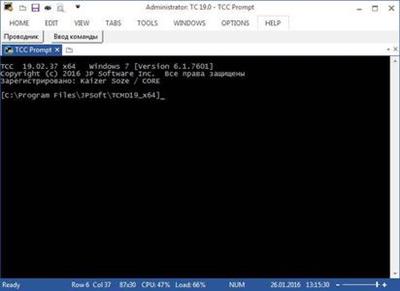
JP Software Take Command 29.00.16 (x64) Multilingual | 65.8 Mb
Take Command is a comprehensive interactive GUI and Windows command line toolkit that makes your Windows command prompts easier to use and far more powerful. Take Command includes optional Windows Explorer integration, tabbed console windows, and major enhancements to standard Windows CMD commands such as COPY, DEL, FOR, MOVE, REN, SET, and START And it and adds 210+ new commands, command dialogs, command line syntax coloring, vastly improved command line editing, programmable filename and directory completion, and thousands of other features.
Software → JP Software Take Command 29.00.15 Multilingual (x64)
Published by: voska89 on 22-11-2022, 23:54 | 0
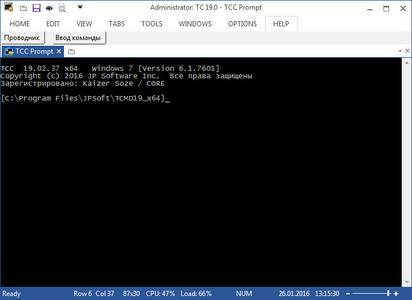
JP Software Take Command 29.00.15 (x64) Multilingual | 65.7 Mb
Take Command is a comprehensive interactive GUI and Windows command line toolkit that makes your Windows command prompts easier to use and far more powerful. Take Command includes optional Windows Explorer integration, tabbed console windows, and major enhancements to standard Windows CMD commands such as COPY, DEL, FOR, MOVE, REN, SET, and START And it and adds 220 new commands, command dialogs, command line syntax coloring, vastly improved command line editing, programmable filename and directory completion, and thousands of other features.

