



Video Training → Linkedin - BIM Manager Managing Revit (2021)
Published by: voska89 on 17-11-2021, 15:41 |  0
0

MP4 | Video: h264, 1280x720 | Audio: AAC, 44.1 KHz, 2 Ch
Skill Level: Intermediate | Genre: eLearning | Language: English + srt | Duration: 3h 1m | Size: 650.7 MB
Gain insight on how building information modeling (BIM) managers use Revit, and how you can align this software with your company's standards and workflow. To begin, learn how to create custom borders and shared parameters, and add a symbol list. Next, see how to create custom templates using filters, phasing, and project browser organization. This course shows you how to perform these steps and how to model callout tags, elevation markers, sections, and levels, as well as set up a typical Revit work-sharing environment and master details model.
Video Training → LinkedIn Learning - CAD and BIM Workflow for Areas in Facilities Management
Published by: Minhchick on 11-11-2021, 11:23 | 0
LinkedIn Learning - CAD and BIM Workflow for Areas in Facilities Management
English | Size: 715.5MB
Category: Tutorial
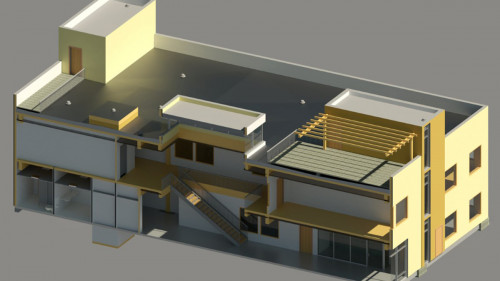
Revit offers a workflow that's uniquely suited to facilities management, particularly room and area design.
Video Training → Udemy - BIM Dynamo Revit Python Programing for User Interphase
Published by: voska89 on 5-11-2021, 13:51 | 0

MP4 | Video: h264, 1280x720 | Audio: AAC, 44.1 KHz, 2 Ch
Genre: eLearning | Language: English | Duration: 18 lectures (1h 36m) | Size: 659.4 MB
Learn how to create Interphases using Python and Windows Forms
Video Training → LinkedIn - Revit Landscape Architecture BIM Techniques
Published by: voska89 on 3-10-2021, 17:08 | 0

MP4 | Video: h264, 1280x720 | Audio: AAC, 44.1 KHz, 2 Ch
Skill Level: Intermediate | Genre: eLearning | Language: English + srt | Duration: 4h 6m | Size: 1.62 GB
Revit is one of the most popular building information modeling (BIM) tools, used in numerous fields like architecture, construction, and MEP (mechanical, electrical, and plumbing). But Revit can also be a useful tool for landscape architects, from creating plant features, to customized softscape and hardscape, and specialized presentation and documentation. In this course, Jim Cowan shows you how to take the existing Revit families and objects and modify their properties for use in landscape architecture. Jim shows how you can use Revit to improve visual communication on design intent like water and sunlight requirements, and create a virtual environment rich in data that also allows you to address issues like sustainability-of both natural and planned landscapes.
Video Training → Udemy - BIM Document Creation Processes With Revit 2020 with Dynamo
Published by: voska89 on 6-09-2021, 01:30 | 0

MP4 | Video: h264, 1280x720 | Audio: AAC, 44.1 KHz, 2 Ch
Genre: eLearning | Language: English + srt | Duration: 17 lectures (2h 8m) | Size: 1.15 GB
Use Dynamo and Dynamo Player to create modify and extract different types of outputs on your Revit Models
Video Training → Revit Remote Collaboration with BIM Collaborate Pro
Published by: voska89 on 1-07-2021, 13:58 | 0
MP4 | Video: h264, 1280x720 | Audio: AAC, 44.1 KHz, 2 Ch
Skill Level: Intermediate | Genre: eLearning | Language: English + srt | Duration: 2h 42m | Size: 482.6 MB
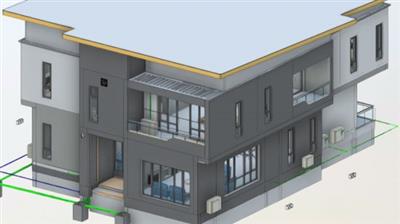
As teams have become more remote and global, the need for remote collaborative design in the built sector has increased. Revit is a multidisciplinary BIM software that allows multiple professionals and disciplines to collaborate in real-time. With the addition of BIM Collaborate Pro, collaboration can go remote and be expanded across the globe, going well beyond a corporate LAN or intranet. In this course, instructor Onyema Udeze explains the importance of a Common Data Environment (CDE) such as Autodesk Construction Cloud and how it can make your projects more efficient. Onyema shows you how to communicate with remote teams through a work-shared Revit model and goes over the important role that Autodesk Connector plays in managing remote collaboration through Revit. He covers how non-technical stakeholders on a project can make their inputs in the cloud through the Change/Information Management and Model Coordination features of BIM Collaborate Pro.

