



Graphics & Design → MAGNA KULI 15.0
Published by: LeeAndro on 30-08-2021, 19:03 |  0
0

MAGNA KULI 15.0 | 235.8 mb
Eeering Center Steyr (ECS), a company belog to the Magna Steyr group, is pleased to announce the availability of KULI software version 15.
Graphics & Design → IDimager Photo Supreme 6.4.1.3877 Multilingual
Published by: LeeAndro on 30-08-2021, 16:45 | 0
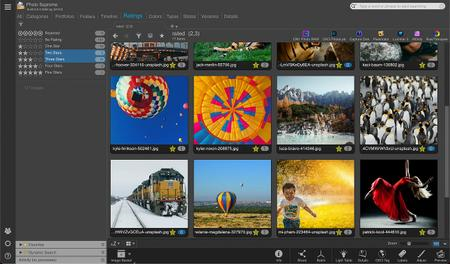
IDimager Photo Supreme 6.4.1.3877 Multilingual | 114.1 Mb
Do you own a digital camera or do you have a large collection of images to manage
Graphics & Design → Photo Mechanic Plus 6.0 Build 6026 (Win x64)
Published by: mata00 on 30-08-2021, 10:33 | 0
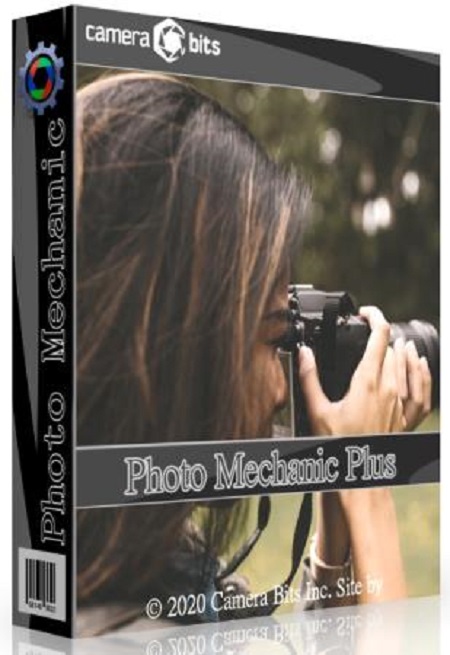
Photo Mechanic Plus 6.0 Build 6026 (x64) | 225.4 Mb
Photo Mechanic Plus includes all the speed and features that are in Photo Mechanic with the premium addition of a powerful image database. All the functions and features of Photo Mechanic are just as you’ve always used them, with the new feature of catalogs for indexing every photo you’ve ever taken.
Graphics & Design → CGTech VERICUT 9.2.0 (x64)
Published by: LeeAndro on 30-08-2021, 05:03 | 0
x64 | Languages:Multilanguage | File Size: 4.41 GB
VERICUT is a 3D solids-based software program that interactively simulates the material removal process of an NC program.
Graphics & Design → Guthrie CAD Viewer 2021 A.07
Published by: LeeAndro on 29-08-2021, 20:33 | 0
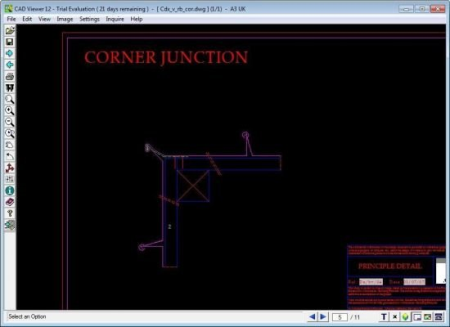
File size: 48.6 MB
CAD Viewer is an application developed for users who want to view CAD drawings without using complicated software, such as AutoCAD.
Graphics & Design → PTC Arbortext Layout Editor 12.1.1.0
Published by: voska89 on 29-08-2021, 15:32 | 0

PTC Arbortext Layout Editor 12.1.1.0 | 99.0 mb
Languages Supported: 中文 Simplified, English, Deutsch, Français, 日本語
Product:PTC Arbortext Layout Editor
Version:12.1.1.0
Supported Architectures:x64
Website Home Page :
www.ptc.comLanguages Supported:multilanguage
System Requirements:PC *
Size:99.0 mb
The Arbortext Product Development team is pleased to announce the availability of Arbortext Layout Editor 12.1.1.0. This new addition to the Layout Developer family of print composition tools provides a more accessible version of the application dedicated to those users who create or finish paged documents by hand.
Features provided in this release are:
Updates to the user interface:
- Updates to the yellow bar to aid content editing
- Cutting guide configuration from the print dialog
* The Insert Markup feature - easily create custom text inserts which can be called from a single command
* javascript toolbars - an FOM representation of the application's toolbars to allow easier creation of dynamic custom interfaces
Debugger improvements:
- Security additions to control access to ALD via the socket connection and to encrypt communication
- Updates to the debugger's Resources panel to improve usability
* Updates to pseudo fonts to extend their usefulness
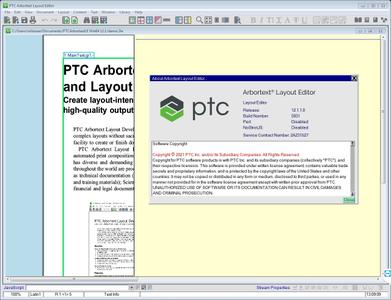
Layout Editor is a version of the Layout Developer application built specifically for the needs of those users who use the interface to create or finish print documents. Layout Editor is not, therefore, a development tool and consequently has had development functionality removed, hidden or restricted. Layout Editor does use the same formatting engine as Layout Developer, so all code, formatting rules and layouts created there will work in Layout Editor.
To protect template code, Layout Editor has a different file format from Layout Developer, which cannot be edited in a text editor. Layout Editor files can be created from both Layout Developer and Layout Editor. In addition, Layout Editor users will not have the ability to edit what is considered to be template code. This must be done in Layout Developer.
Layout Editor is provided for manual document creation and finishing based on templates. Layout Editor users will be working manually to edit text, tweak formatting, move or create frames with content in and generate output. Any template helpers such as automation scripts or libraries can be run as in Layout Developer. Template developers can, and are encouraged to, create bespoke interfaces to work in Layout Editor including toolbars and menus, which can be delivered as part of the template or as Layout Editor libraries. System file customisation is discouraged as much as possible, with libraries being the preferred method.
Arbortext Layout Editor Overview
PTCenables global manufacturers to realize double-digit impact with software solutions that enable them to accelerate product and service innovation, improve operational efficiency, and increase workforce productivity. In combination with an extensive partner network, PTC provides customers flexibility in how its technology can be deployed to drive digital transformation - on premises, in the cloud, or via its pure SaaS platform. At PTC, we don't just imagine a better world, we enable it.
Product:PTC Arbortext Layout Editor
Version:12.1.1.0
Supported Architectures:x64
Website Home Page :
www.ptc.comLanguages Supported:multilanguage
System Requirements:PC *
Size:99.0 mb
System and Software Requirements
Disk Space
- PTC Arbortext Layout Developer- Desktop installation: 167 MB (approx)
Minimum Requirements
Pentium III processor (or equivalent), 2.0 GHz, 512 MB RAM, 50 MB disk space, plus 1 GB additional space for production output.
Recommendations
Pentium IV processor (or equivalent), 3.0 GHz, 1 GB RAM, 50 MB disk space, plus 2 GB additional space for production output.
Evaluate your site's production environment for factors that may affect site adjustments to the requirements and recommendations, such as number and size of documents, number and size of graphics and network traffic, as all have an impact on the optimization of disk space, memory, throughput and output.
Buy Premium From My Links To Get Resumable Support,Max Speed & Support Me
https://hot4share.com/7eq5lv7f1eu2/pb5oo.PTC.Arbortext.Layout.Editor.12.1.1.0.rar.html

https://rapidgator.net/file/93303756a98960cda355bb3023c11236/pb5oo.PTC.Arbortext.Layout.Editor.12.1.1.0.rar.html

http://nitro.download/view/FBC84DCBB4F9FE1/pb5oo.PTC.Arbortext.Layout.Editor.12.1.1.0.rar[/url]

https://uploadgig.com/file/download/8ad93cFc68422ce3/pb5oo.PTC.Arbortext.Layout.Editor.12.1.1.0.rar
Graphics & Design → Autodesk AutoCAD Design Suite Premium 2021.4 (Win x64)
Published by: mata00 on 29-08-2021, 14:48 | 0
Autodesk AutoCAD Design Suite Premium 2021.4 (x64) | 7.36 Gb
AutoCAD Design Suite software delivers AutoCAD software, plus an extended design toolset that includes AutoCAD Raster Design software and visual communication solutions. Drive your products from concept to completion with comprehensive documentation tools.
Graphics & Design → Autodesk AutoCAD 2019.1.2 English & Russian (x86/x64)
Published by: mata00 on 29-08-2021, 07:30 | 0
Autodesk AutoCAD 2019.1.2 English & Russian (x86/x64) | 4.38 GB
AutoCAD is the world leader in 2D and 3D design solutions. By being more intuitive, 3D modeling can speed up design work and documentation, share models, and develop new ideas. Thousands of add-ons are available for AutoCAD to meet the needs of a wide range of customers.
Graphics & Design → Siemens NX 1988 Build 2201 (NX 1980 Series)
Published by: voska89 on 29-08-2021, 06:07 | 0
Siemens NX 1988 Build 2201 (NX 1980 Series) | 16.8 Gb
Languages: English, 中文, Čeština, Español, Français, Deutsch, Italiano,
日本語, 한국어, Polski, Português, Русский
Product:Siemens NX Continuous Release
Version:1988 Build 2201 (NX 1980 Series) *
Supported Architectures:x64
Website Home Page :
www.plm.automation.siemens.comLanguage:multilanguage
System Requirements:PC **
Size:16.8 Gb
The Siemens Digital Industries Software development team is pleased to announce the availability of NX 1984 Build 1902 (NX 1980 Series). The new version of NX is robust and powerful, and it delivers advanced technologies for product design, development, and manufacturing in a single, multidisciplinary platform.
Graphics & Design → Siemens NX 1988 Build 2201 (NX 1980 Series) (x64)
Published by: scene on 28-08-2021, 19:27 | 0
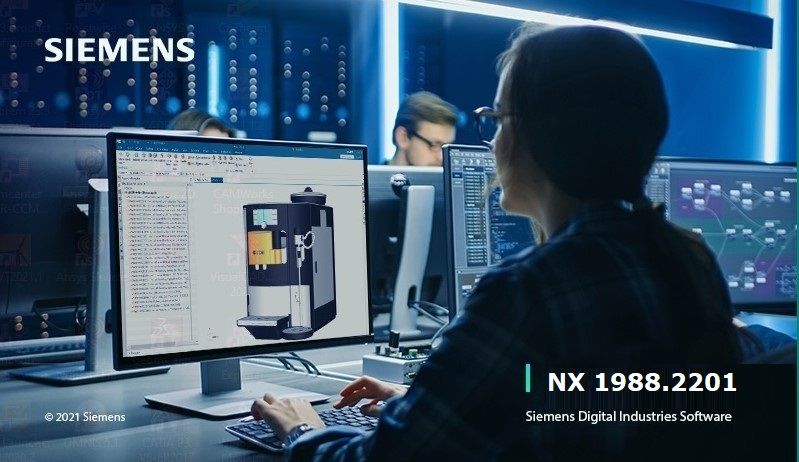
Siemens NX 1988 Build 2201 (NX 1980 Series) (x64) | 16.05 GB
Siemens NX is the leading CAD / CAM / CAE system built on the best technologies for creating products of any complexity. The main task of the system is ultimately to reduce the cost of creating a product, improve its quality and shorten the time to market. This enables companies to quickly return the investment spent on the purchase and implementation of Unigraphics. In Russia, Unigraphics occupies a strong position, thanks to the wide possibilities of using the system in various fields of industry (aerospace, engine building, automotive, mechanical engineering, etc.) and the use of modern technologies that provide the user with advanced MCAD solutions at all stages of product creation. The success of the Unigraphics system in the Russian market is confirmed by an extensive user base,pic

